


















































Creatio 10.1 Update Package for Creatio Products
We are pleased to announce that the Creatio 10.1 update package is here! The latest release delivers a wide range of new capabilities and improvements across the Creatio platform, including the improved AI App Development Toolkit, a native WhatsApp channel, deeper sales forecasting, more control over email and campaign delivery, and new administration options for single sign-on and theming. These updates are designed to help organizations accelerate innovation, streamline operations, and maximize productivity.
Here is a closer look at what's new in this release.
Creatio AI App Development Toolkit. AI agents can now build a larger part of an app from a plain-language request, including the user interface and the analytics around it:
- Expanded AI coding agent capabilities. You can now ask AI agents to create and manage workplaces and sections, set workplace visibility for roles, build Freedom UI desktops and home pages, add dashboards with charts, list widgets, and comparison or calculated metrics, and manage page-level and object-level business rules.
- AI-generated pivot tables. Agents can now add pivot tables to dashboards, form pages, list pages, and home pages. They pick the data objects, set row and column groupings, apply count, sum, min, max, and avg aggregates, and add calculated fields, date grouping, and filters. Subtotals and grand totals are applied automatically where supported.
- Out-of-the-box analytics for generated apps. Apps created with the Toolkit now include section dashboards and an app-level dashboard on the workplace home page. The dashboards are built on the app's data model and are available to all employees.
Creatio Sales. Creatio Sales 10.1 provides the following new features and enhancements:
- Opportunity details in Sales forecasts. You can now click an opportunity name in a forecast metric to open a summary with Summary, Activity, and Timeline tabs.
- Forecast hierarchies section. Administrators can now list, create, and edit hierarchies in a new section of the Sales Forecasts workplace, without opening a forecast. Before an impactful edit is applied, a warning lists the forecasts it affects.
- Filters for forecast hierarchies. You can now add filter conditions on source object columns to limit which records a hierarchy includes. The filters are saved with the hierarchy and apply to every forecast that uses it.
- Configurable forecast submission values. You can now set a reference column for submissions on a forecast column, so each submission uses the latest source value.
- Live updates in Sales Forecasts. Changes to forecast cells, submissions, or related records now appear for everyone viewing the sheet within about a second, with no refresh and no loss of scroll position. Live updates are enabled by default.
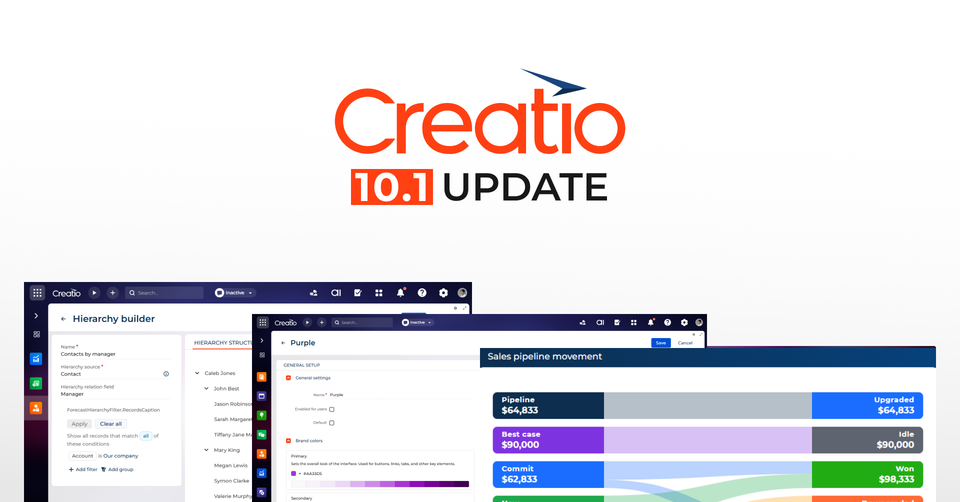
- Sales pipeline movement widget. A new Sankey widget on the Opportunities pipeline analytics page shows how the pipeline moves. It is also available in the Freedom UI Designer and the Dashboard Designer.
Creatio Marketing. Creatio Marketing 10.1 provides the following new features and enhancements:
- Custom fonts in marketing emails. You can now upload a custom font, with a fallback font, in the bulk email design settings. Uploaded fonts are available instance-wide for email defaults and text blocks.
- Reply-to address for bulk emails. You can now set a reply-to address on the Design content tab, so replies reach a monitored mailbox. The address does not need a validated sender domain.
- Migration to the new email subscription model. The new Bulk Email Subscription Migration business process moves legacy subscription data while preserving unsubscribes and global opt-outs. It can be rerun without creating duplicates and requires the Marketing workplace on Freedom UI.
- Audience delivery pace control. You can now use the Audience transfer pace setting of the Timer element to release participants all at once, spread them evenly over a period, or set a rate per minute or hour.
- Segment update schedule. You can now choose between a static list that you update manually and a scheduled segment that refreshes daily or at other set times.
- Automatic refresh for scheduled segments. A background job refreshes scheduled segments at a configurable interval and skips segments that are already being updated.
Creatio Service. Creatio Service 10.1 provides the following new features and enhancements:
- Native WhatsApp Meta Cloud API channel. You can now connect a WhatsApp Business account directly through the Meta Cloud API and add the channel in the Customer communication hub section. The channel supports messages, images, and files, shows delivery statuses with failure reasons, routes chats to queues with automatic contact matching by phone number, and allows free-form replies within the 24-hour messaging window.
- Chat translation improvements. Translations of both versions of each message are now stored permanently in the Chats section. Agents can translate outgoing messages manually with the translate button, review and edit them before sending, and view the original wording with the Show original button.
- File drafts in the Agent Inbox panel. Files attached in a chat are now saved as that chat's draft and upload in the background, so they stay in place when an agent switches chats or reloads the page.
End user experience. A range of UI/UX and performance improvements have been introduced to make daily tasks more intuitive and efficient, including:
- Pivot table in Freedom UI. The pivot table is now available out of the box on Freedom UI pages. It adds page-data filtering, calculated columns, related-object columns, date grouping by day, week, month, or month and year, and a design-time preview.
- New Email Template Designer. A drag-and-drop designer for service and transactional emails now replaces the legacy HTML editor for new templates. It supports merge tags, multilingual templates, conditional rows, and saved rows, and it lives in the new Message templates section.
- Attachments from other sections in the email composer. Administrators can now configure attachment sources on the Message composer component, so users can attach existing Creatio files, such as documents or contracts, and select several at once.
- Recipient search in the message composer. Recipients in To, CC, and BCC are now searched the same way as global search, including accented names and all email addresses. Administrators can limit the search to specific objects.
- Folders and filters. Folders now use the Freedom UI filter editor in every section that supports them. You can save a whole filter, or a single group, as a folder, resize the Filters toggle panel by dragging its border, and switch individual conditions off and on without deleting them.
No-code tools. Improved no-code tools will help you create more sophisticated and powerful apps faster and easier:
- Immediate app readiness after installation. The cache-clearing logic of the Run app button now runs automatically after each successful app installation, so a newly installed app is ready to use right away.
- Freedom UI Designer. The canvas now renders right to left for RTL users, and the Preview button is available by default, including for unsaved and replacement pages. You can also pre-fill the To, CC, and BCC recipients of the message composer from page email fields.
- Webinar attendance from Microsoft Teams. After a Teams meeting, attendance is now retrieved from Microsoft Graph, and audience contacts are marked as participated or not.
- Email synchronization by sent date. You can now skip emails that were sent before the start of the synchronization period.
- Nested arrays in web service calls. The Call web service element can now send array-of-arrays parameters.
Administration. Creatio 10.1 features multiple enhancements to speed up system administration, strengthen security and governance, and ensure data integrity:
- Single sign-on user matching. You can now map token claims to user columns with OIDC user matching rules, link several OpenID Connect providers to one user without duplicate accounts, and restrict sign-in to administrator-created users by turning off JIT provisioning.
- Desktop setup. Desktop management has moved to a dedicated Desktop setup section, separate from the licensed Appearance setup section, so it is available on the Growth plan.
- Unified theme management and No-code Theme Designer. The Themes list now shows all custom themes with their status and source package, and lets you rename, enable, disable, and set a default theme. A new visual designer generates a palette automatically from your base colors and shows a live preview.
- MSAL mobile sign-in provider for Microsoft Entra ID. A new provider for Creatio Mobile on Intune-managed devices is configured in the Single Sign On configuration section and works for cloud and on-site deployments.
- Custom login page logo for .NET builds. .NET builds now support a custom login page logo, matching .NET Framework builds.
- AI agent access to Creatio files. A new tool in the Creatio MCP tool publishing mechanism lets connected AI agents read the text of a stored file by ID, for example an installation log.
- Configuration activity log. The log now shows a Replaced checkbox when a schema replaces another, compares "Data" schemas and packages with their previous versions on the Change details tab, and lets you configure backups in Creatio instead of in the Web.config file. The new Explain with AI button adds a human-readable explanation of a change.
Creatio Mobile. Creatio Mobile app has the following new update:
- Android for Microsoft Intune. Creatio Mobile for Intune is now available on Google Play for Android, in addition to the iOS version on the App Store.
Advanced customization. Creatio 10.1 features the following new update:
- Custom chat channel identifiers. Integrations can now define their own channel identifiers instead of relying on the fixed provider list, which makes it possible to run more than one channel of the same type. Existing integrations keep working as before.
Beta testing of new features. These features are available for beta testing in Creatio version 10.1:
- Sending through an SMTP relay without a password. An Anonymous authentication checkbox in the IMAP/SMTP synchronization settings lets you skip authentication for sending. Incoming synchronization still requires credentials.
- Metric comparison and trend indicator. Metrics can now be compared against a comparison value, as a percentage or an absolute difference, with a trend indicator. You can set filters separately for the main and comparison values.
- Personal WhatsApp channels. Employees can now connect personal WhatsApp numbers through Coexistence, so conversations are assigned to that employee while the company keeps the history.
- AI-generated filters. The AI panel in the Filters toggle panel now builds filters from plain-language requests and supports follow-up refinements in lists, folders, and segments.
Detailed descriptions of all the new features and upgrades are available in the Creatio Academy.
You can also read the release notes HERE.