


































































Regular Update Package for Creatio Products
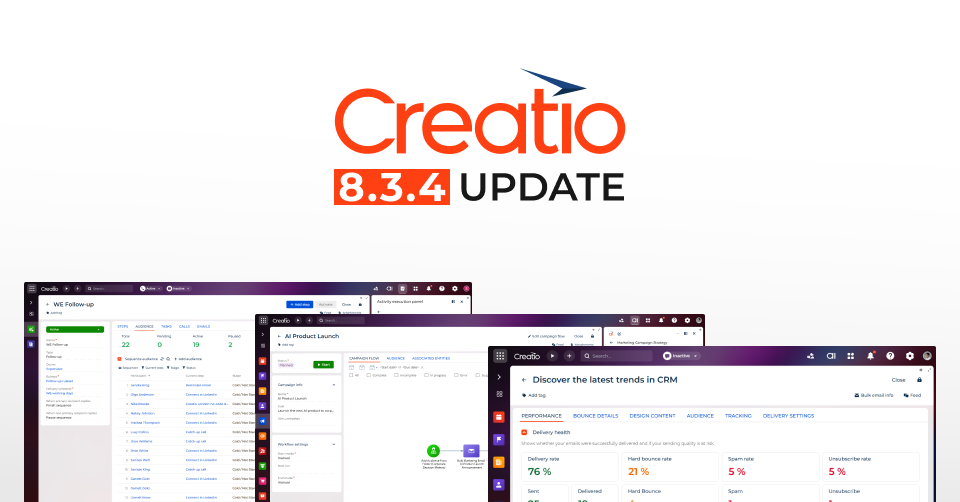
We are pleased to announce that the Creatio 8.3.4 update package is here! The latest release delivers a wide range of new capabilities and improvements across the Creatio platform, including enhancements to Creatio.ai, composable applications, no-code tools, user experience, and mobile capabilities. These updates are designed to help organizations accelerate innovation, streamline operations, and maximize productivity.
Below are the key capabilities and improvements added to the Creatio product line.
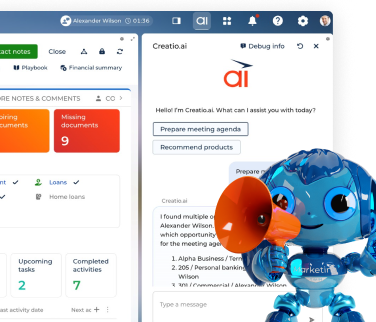
Creatio.ai. Creatio 8.3.4 offers numerous new features and improvements for Creatio.ai, among which:
- Updated Creatio.ai terminology. You can now configure and maintain AI-related logic more intuitively thanks to updated terminology in Creatio.ai interfaces that aligns with widely used industry standards.
- AI automation for chat channels. You can now automate customer communication across chat channels — including Telegram, WhatsApp, Facebook, and SMS — by enabling Creatio.ai to handle incoming conversations instantly before a human agent gets involved. You can control the AI's identity and tone of voice across chat channels by selecting an AI assistant personality in channel settings
- The new Campaign Generation Agent. You can now create campaign workflows faster and with greater consistency by describing your campaign goals, target audience, and communication flow in natural language in the Creatio.ai chat panel using the new Campaign Generation Agent in the Digital Ads, Lead Generation, Email Marketing, and Event Management apps.
- GPT-5.2 model support. You can now use GPT-5.2, one of the latest models from OpenAI, when configuring Creatio.ai agents and sub-agents.
Creatio Marketing. Creatio Marketing 8.3.4 provides the following new features and enhancements:
- Campaign flow template library. You can now accelerate campaign setup and ensure consistency with proven best practices by selecting ready-made templates or reusing previously saved templates from the campaign flow template library.
- New campaign elements in the Lead Generation app. You can now trigger campaign audience entry instantly upon form submission by using the new Add from Creatio landing page element in the Triggered entry group of the Campaign Designer in the Lead Generation app.
- Enhanced bulk email performance reporting. You can now evaluate bulk email performance with greater depth and clarity using the redesigned Performance tab on the email page that replaces the previous Results tab.
- Unified font library in Email Designer. It is now possible to design visually consistent marketing emails across both Freedom UI and Classic UI using a unified set of modern fonts in the Email Designer in the Email Marketing app.
- New campaign elements in the Digital Ads app. You can now push contacts directly to Google Ads and Meta Ads audiences at a specific step of the campaign journey using new dedicated campaign flow elements in Campaign Designer.
- Audience match rate visibility. You can now monitor the effectiveness of audience synchronization with Google Ads and Meta directly from the Ad Audiences section in the Digital Ads app.
- Per-user ad account connections. It is now possible to connect your own Google Ads or Meta Ads account in the Digital Ads app independently, without affecting connections created by other users.
Creatio Service. Creatio Service 8.3.4 provides the following new features and enhancements:
- Telegram, WhatsApp and SMS message delivery statuses. You can now monitor the delivery status of outgoing Telegram, WhatsApp and SMS messages directly in the chat conversation within the Agent Inbox panel.
- Outbound messaging from message composer. You can now initiate outbound conversations across supported SMS, WhatsApp, Telegram, and Facebook Messenger chat channels directly from message composer
No-code tools. Improved no-code tools will help you create more sophisticated and powerful apps faster and easier:
- Application hub. You can now make more informed installation decisions thanks to a new warning displayed when an application installation would downgrade an already installed application version. Also, Creatio now prevents broken environments by automatically blocking the installation of application versions that would violate dependency compatibility with other applications already installed into the environment for single-app, bundle, and Marketplace installation scenarios.
- Freedom UI Designer. You can now improve analytical flexibility by configuring custom formulas for metrics using the Formula designer. Also, you can now view and interact with structured data organized in a multi-level hierarchy using the new Hierarchical list component in Freedom UI Designer. Finally, you can now configure metrics more efficiently by adjusting settings in the setup area directly in the Freedom UI Designer and Dashboard Designer, without losing visibility of the chart canvas. This lets you preview changes continuously while making adjustments, improving the overall configuration experience.
- Business processes. It is now possible to automate customer notifications in chat channels directly from business processes without custom development using the new Send chat message element in the User actions group of the Process Designer. No-code creators can configure the sender channel, recipient, and message format directly in the element setup area, and link the created chat to related records so it appears in timelines with the correct business context.
- Integrations. There are multiple new features, including Microsoft Graph API support for email synchronization, a new dedicated migration tool to migrate mailboxes between EWS and Microsoft Graph API seamlessly in both directions, application-level impersonation for Microsoft Graph API email integration, WhatsApp username and BSUID support, and Quorum queue support in Email Listener.
Administration. Creatio 8.3.4 features multiple enhancements to speed up system administration, strengthen security and governance, and ensure data integrity:
- Angular 19 update. Creatio platform now uses Angular version 19, ensuring continued compatibility with the latest Angular framework standards and preventing reliance on deprecated or unsupported APIs.
- AWS RDS PostgreSQL 16.11 support. You can now deploy Creatio on AWS RDS PostgreSQL 16.11. Starting from version 16.11, AWS has resolved the previous backward compatibility issue by prohibiting custom casts for certain database types.
- Enhanced configuration activity log. You can now gain comprehensive visibility into configuration changes and operations across the platform through numerous enhancements to the configuration activity log, including package backups, configuration restore tracking, package lifecycle tracking, application and section change tracking, etc.
Creatio Mobile. Creatio Mobile app has multiple new features and improvements:
- Run process action for Creatio Mobile. You can now trigger business processes directly from the mobile application when working in online mode. Before the process starts, Creatio automatically saves current data to ensure the process uses up-to-date values, and displays a notification confirming the process has started.
- New component in the Freedom UI Mobile Designer. You can now display images in a structured format by using the Gallery component directly from Freedom UI Mobile Designer. Configure the gallery object, caption, description, image, filters, item size, and visibility using the setup area, and preview gallery content immediately in the designer.
- Chart widgets in Freedom UI Mobile Designer. It is now possible to add and configure doughnut, bar, column, area, spline, line, scatter, and pipeline chart type widgets directly on mobile page layouts using the Freedom UI Mobile Designer, following the same design-time approach as the Freedom UI Designer.
- Metrics in Freedom UI Mobile Designer. You can now configure metrics directly from Freedom UI Mobile Designer. Metrics for mobile pages support the same parameters as in Freedom UI Designer, including title, style, color, size, filters, icons, visibility, and formula-based values in online mode.
- New features for Field Sales mobile app. You can now collect structured data during customer visits, register new accounts from the map, and search for nearby entities directly in the Field Sales mobile app.
- Enhanced styling for Folder management menu and Sort components in Freedom UI Mobile Designer. You can now customize the appearance of Folder management menu and Sort components directly in the Freedom UI Mobile Designer.
Advanced customization. Improvements include public API for data source management, a custom component development guide, lazy loading for remote entries in Freedom UI, and custom record-level access rights.
Beta testing of new features. These features are available for beta testing in Creatio version 8.3.4.
- Creatio AI App Development Toolkit. You can now design and deliver Creatio applications faster by using AI-powered coding agents — such as Claude Code, Codex, and GitHub Copilot — through the new Creatio AI App Development Toolkit. The toolkit provides structured instructions, MCP tools, and guided workflows that enable AI Agents to generate applications, configure components, and automate implementation steps, reducing manual coding effort and improving consistency of outputs.
- New Sales Engagement app. It is now possible to manage and execute sequence-driven sales activities more efficiently using the new Sales Engagement app. The app includes a dedicated Activity execution panel for handling "Call," "Email," and "Task" activities from a unified sidebar interface, a Sales Engagement Desktop that consolidates KPI widgets, workload charts, and daily activity lists into a single workspace, and a delivery schedule configuration that controls when sequence activities are generated based on time zone and business hours.
- RTL rendering in Freedom UI Designer. You can now design pages for right-to-left audiences with greater accuracy by viewing the page in proper RTL layout directly in the Freedom UI Designer when RTL mode is enabled. This ensures no-code creators see the page closer to its runtime appearance for RTL users and can work with the layout in a consistent visual direction.
- Advanced filters in Freedom UI. You can now build complex filters using business-friendly conditions directly in Freedom UI without requiring database knowledge.
- Metric comparison and trend indicator. It is now possible to analyze performance changes by configuring metrics that include comparison logic. Comparison is not limited to time-based periods. You can compare metrics across different time frames or between entirely different business indicators, unlocking more advanced analytical scenarios. A built-in trend indicator highlights how a key metric changes relative to the selected comparison value
- PKCE support for authorization code grant. You can now connect public clients, for example, mobile applications and single-page applications, securely to Creatio using the authorization code grant with PKCE.
- Web chat channel. You can now communicate with website visitors in real time directly in Creatio using the new Web chat channel.
Detailed descriptions of all the new features and upgrades are available in the Creatio Academy.
You can also read the release notes HERE.