




































































2026 Workflow Automation Guide: Definition, Benefits & How to Get Started

Build & Automate Workflows by 10X Faster. Try Creatio

Organizations that redesign workflows around people, AI agents, and robots could unlock up to $2.9 trillion in annual economic value in the U.S. by 2030, according to the McKinsey Global Institute. Achieving that potential requires more than deploying new technologies—it requires redesigning how work flows across people, systems, and intelligent technologies. At the center of this transformation is workflow automation, which enables organizations to execute work faster, more consistently, and with less manual effort.
In this guide, we’ll break down the essentials of workflow automation: what it is, where it applies, the real-world benefits it delivers, and the key steps for its successful implementation. You will also discover the top workflow automation tools to help your business boost efficiency and scale smarter with less manual effort.
Key Takeaways:
- Workflow automation is the use of technology to streamline end-to-end business processes, helping organizations reduce manual effort, improve efficiency, consistency, and scalability.
- The biggest automation wins typically come from repetitive, cross-functional workflows that deliver measurable business impact across the organization.
- AI agents are transforming workflow automation by enabling intelligent, context-aware workflows that extend beyond traditional rule-based automation while maintaining human oversight.
- Workflow automation platforms differ significantly in capabilities, making factors such as AI, integrations, scalability, governance, and ease of use critical when evaluating software.
- The next generation of workflow automation is AI-native and outcome-driven: in 2026, organizations are prioritizing intelligent automation, trusted governance, and measurable business results.
- Among the platforms compared, Creatio stands out by combining powerful workflow automation and CRM capabilities on a single AI-native platform.
What is Workflow Automation?
Workflow automation refers to the use of technology to streamline and execute a sequence of tasks, steps, or activities with minimal manual intervention and maximum efficiency. At its core, it leverages software applications, systems, and digital tools to automate repetitive tasks and rule-based processes, ensuring they are completed faster, more accurately, and with greater consistency.
Businesses commonly apply workflow automation to minimize manual effort and enhance operational efficiency across departments. Some of the most popular workflow automation examples include:
- Employee onboarding in HR
- Invoice processing and approvals in finance
- Customer ticket routing and escalation in support teams
- Campaign execution and lead assignment in marketing
- IT service requests and change management in IT operations
- Purchase order approvals and vendor coordination in procurement
- …and many more
By streamlining these types of workflows, organizations can reduce delays, eliminate errors, and create more consistent, scalable operations across the enterprise.
Workflow Automation vs. BPA and RPA: What’s the Difference?
Although workflow automation, business process automation (BPA), and robotic process automation (RPA) all aim to improve operational efficiency, they differ in scope, functionality, and the types of work they automate. Here’s what makes them different:
- Workflow automation is focused on automating a sequence of tasks, approvals, and decisions within a specific workflow. It ensures work moves efficiently between people, systems, and, increasingly, AI agents according to predefined business rules.
- Business process automation takes a broader approach by optimizing and automating end-to-end business processes that span multiple workflows, departments, and enterprise applications. Rather than automating individual tasks, BPA connects workflows into a unified process to improve efficiency, visibility, compliance, and business outcomes.
- Robotic process automation uses software bots to automate repetitive, rule-based tasks by mimicking human interactions with digital systems. RPA is particularly valuable for organizations that rely on legacy applications or systems without modern APIs, allowing them to automate activities such as data entry, invoice processing, report generation, and data migration without extensive system changes.
In practice, these technologies are complementary rather than competitive. For example, a customer onboarding process may use workflow automation to coordinate approvals and task routing, BPA to orchestrate the end-to-end process across departments, and RPA bots to transfer customer data between legacy systems automatically.
How Does Workflow Automation Work?
The workflow automation process operates by mapping out a predefined sequence of actions triggered by specific events or conditions. These workflows are built using different tools, often through visual drag-and-drop interfaces or specific low-code/no-code platforms, that connect different systems, assign tasks, and route actions automatically from initiation to completion.
Essential Components of the Workflow Automation Process
To understand how the workflow automation works in practice, let’s first review its core components:
- Trigger – The event that initiates the automated process (e.g., form submissions, ticket creation, status changes, etc.).
- Conditions and Rules – Logic that guides the workflow’s path. (e.g., “If the invoice amount is over $5,000, route it to the finance director for approval.”)
- Actions – Specific tasks the system performs automatically (e.g., sending notifications, assigning roles, updating records, etc.).
- Outcomes – The final result of the workflow (e.g., completed approval, generated document, system update, or automated alert).
When integrated within a single workflow, these components operate cohesively to deliver specific outcomes without manual intervention. Each step is automatically triggered and executed based on the logic-driven conditions, ensuring consistency, speed, and transparency across the entire business process.
This structure can be applied to a wide range of use cases – from customer onboarding and service requests to compliance checks and procurement approvals – scaling efficiently across departments and industries.
For example, here’s how a loan pre-approval process can be fully automated using this model:

Benefits of Implementing Workflow Automation in Business
Alongside cutting down on repetitive tasks, automated workflows provide measurable gains in productivity, accuracy, and scalability across the organization. Whether applied in finance, HR, operations, or customer service, it delivers benefits that directly impact both customer-facing and back-office operations.
1. Increased Efficiency
Automated workflows eliminate time-consuming manual steps, reducing the time it takes to complete routine processes. This allows teams to move faster, reduce delays, and handle a higher volume of work with the same resources.
According to McKinsey, companies that adopt automation see efficiency improvements of 20–30% across key operations.
2.Reduced Human Error
Manual tasks, especially data entry, routing, or approvals, are prone to human errors that can slow processes, create compliance issues, or impact customer experience. Automation ensures consistency of repeatable tasks by following predefined logic, reducing costly mistakes.
3. Seamless Scalability
As a business grows, managing multiple workflows can quickly become overwhelming. Workflow automation helps solve this issue by removing repetitive tasks and simplifying complex business operations. As a result, companies can handle higher volumes of customer requests, documents, and internal operations without increasing the headcount or overloading existing teams.
Moreover, automated workflows can be effortlessly deployed across geographies, teams, and business units with consistent logic and governance. For example, Creatio’s workflow automation platform was successfully implemented by BNI (Bank Negara Indonesia) across 35 countries, enabling the bank to standardize mission-critical workflows and launch process improvements across its global footprint, all while maintaining agility and compliance.
4. Better Customer Experiences
Workflow automation also allows companies to shorten response times, standardize interactions, and ensure that customer requests are routed and resolved efficiently.
For example, Namu Travel reported a 20% increase in qualified leads after adopting Creatio’s CRM and workflow automation platform. With automated case routing and omnichannel communication integrated into the platform, the team succeeded in improving response times and delivering more personalized services based on real-time customer insights.
5. Enhanced Employee Productivity and Collaboration
By offloading repetitive tasks and administrative workflows, employees can focus on higher-value processes, like strategic planning, creative problem-solving, or customer engagement. At the same time, workflow automation fosters better collaboration by connecting teams through shared dashboards, real-time task updates, and centralized communication channels. These optimizations not only contribute to the overall business performance but also improve job satisfaction and employee retention.
6. Cost Reduction
By automating routine tasks and minimizing manual handoffs, workflow automation significantly reduces operational costs. It lowers the need for manual labor, cuts down on process delays, and reduces error-related rework, which provides savings on both time and budget.
Companies can handle more time-consuming tasks with fewer resources, avoid costly mistakes, and redirect business users toward higher-value initiatives that drive growth.
7. Improved Process Visibility and Task Ownership
Workflow automation enables real-time tracking and audit trails across every stage of a business process. For example, project managers can instantly see who owns each task, track deadlines, and monitor progress through visual dashboards. This level of visibility allows teams to manage complex workflows better, quickly identify inefficiencies or delays, and take corrective actions to improve the process.
Workflow Automation Examples: Key Areas to Automate Today
According to Deloitte, more businesses in 2025 are prioritizing industry-specific workflow automation to drive measurable, high-impact results. Below, we’ve outlined the most impactful automation use cases across departments and sectors, which can deliver immediate gains in cost reduction, efficiency, and operational performance.
Sales Workflow Automation
Sales teams often face challenges related to manual data entry, lead routing, and follow-up gaps. Workflow automation helps streamline these repetitive tasks, enabling sales reps to focus on closing deals and building relationships.
The commonly automated workflows in Sales include:
- Lead capture and routing based on predefined rules
- Follow-up reminders and email sequences
- Deal stage updates and pipeline progress
- Approval workflows for personalized offers or custom quotes
- Activity logging in CRM systems
Marketing Workflow Automation
Marketing teams benefit from automation by streamlining tasks and boosting performance through faster execution and more effective team collaboration. The commonly automated marketing processes are:
- Campaign scheduling and social media posting
- Email nurture sequences based on user behavior
- Content approval and publishing workflows
- Lead scoring and handoff to sales
- Event registration and follow-up emails
Learn how Griswold is redefining lead management and boosting ROI with Creatio’s Agentic no-code platform.
Customer Service Automation
Automation in customer service helps teams handle higher volumes of support requests without compromising on quality or speed, leading to better experiences and lower resolution times.
In Customer Service, the following processes can be automated:
- Ticket routing based on priority or category
- SLA tracking and escalation triggers
- Customer feedback collection and analysis
- Chatbot-driven FAQ responses
- Closing and archiving resolved tickets
Human Resources (HR) Automation
HR teams rely on standardized processes, many of which are time-consuming when done manually. Within this industry, workflow automation is commonly applied to:
- Employee onboarding and offboarding checklists
- Leave request approvals and tracking
- Performance review workflows
- Internal job posting and applicant tracking
- Employee satisfaction surveys and follow-ups
Banking & Financial Services Automation
In banking and finance, automation plays a critical role in eliminating data silos, enhancing accuracy, ensuring compliance, and managing high-volume workflows with greater efficiency. Some of the workflow automation examples in this sector include:
- Client onboarding
- Invoice approvals and payment processing
- Expense reporting and reimbursement workflows
- Loan pre-approval and document intake
- Compliance tracking and audit trail generation
Explore how Tirana Bank has accelerated loan processing by 40% with Creatio’s AI-powered automation platform.
Manufacturing & Supply Chain Automation
Manufacturing and supply chain operations rely heavily on timing, consistency, and coordination, which makes them perfect for automation. Common workflows that can benefit from it include:
- Inventory restocking notifications
- Quality inspection and reporting
- Maintenance scheduling
- Purchase order processing
- Supplier onboarding and compliance
Government & Public Sector Automation
Public sector organizations often deal with complex regulations, heavy documentation, and high volumes of citizen requests. Within this sector, workflow automation helps increase transparency, speed up service delivery, and reduce administrative burdens. Commonly automated workflows include:
- Permit and application routing
- Citizen request tracking and response
- Internal approval chains across departments
- Grant request processing
- Compliance reporting and audit documentation
See how a Maryland Senator’s office improved operational efficiency in just six months with Creatio’s no-code platform.
These are just a few examples of how organizations are automating workflows across different teams and industries. Whether you build in-house or work with automation experts, optimizing the right processes can help you move faster, cut costs, and free your teams to focus on more strategic work.
With the growing demand for streamlined, automated operations without heavy reliance on IT, no-code platforms have become a powerful solution for businesses looking to automate workflows at scale. To support this shift, we created the No-Code Playbook: Age of AI (2nd Edition) – a 200-page, vendor-agnostic guide for building and scaling complex business applications without writing a single line of code. Tailored for the AI era, this edition includes frameworks, real-world examples, and practical insights on how businesses can automate workflows, deploy AI agents, and drive measurable results – all while maintaining clear human oversight.
Best Workflow Automation Software for 2026
Vendor | Best for | Customer Rating |
| Creatio | Organizations seeking an AI-native platform that unifies workflow automation, CRM, and AI agents to orchestrate human-led and agentic workflows |
|
| Monday | Companies looking for visual project management, routine task tracking, and team status notifications |
|
| Hive | Small and mid-sized teams managing collaborative projects and workflows |
|
| Miro | Organizations focused on visual, multi-step AI artifact generation, design-to-development handoffs, and collaborative team reviews |
|
| HubSpot | Businesses automating customer-facing sales, marketing, and service workflows |
|
| ClickUp | Teams aiming to centralize projects, tasks and workflows in a unified workspace |
|
| Nintex | Enterprises automating complex business processes, documents, and approvals |
|
| Kissflow | Organizations building business applications and structured workflows without heavy IT involvement |
|
| Zapier | Businesses automating application integrations and repetitive workflows |
|
| Integrify | Enterprises requiring governed workflow automation and approval management |
|
1. Creatio
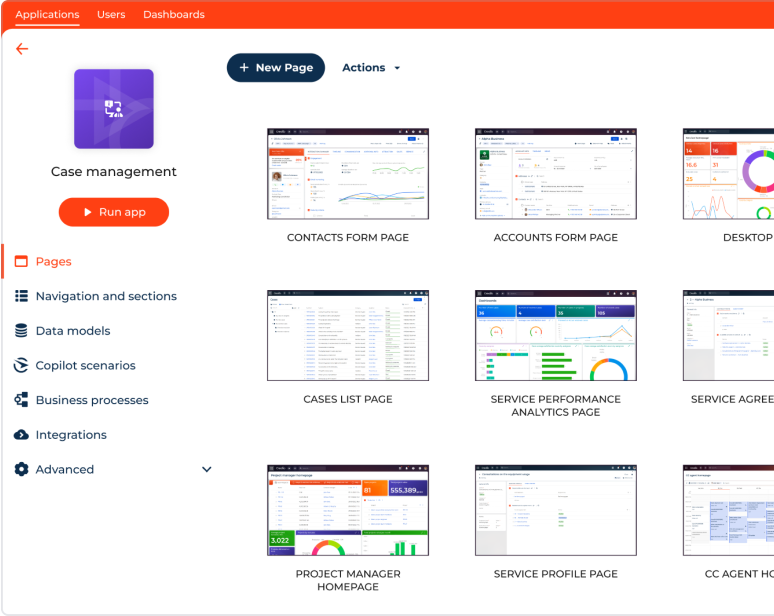
Creatio is an AI-native CRM and workflow automation platform that helps organizations automate and orchestrate customer and operational workflows using AI agents, AI coding agents, and visual no-code designers. It combines workflow automation, application development, and CRM on a single AI-native platform, enabling organizations to streamline processes, improve productivity, and rapidly adapt to changing business needs.
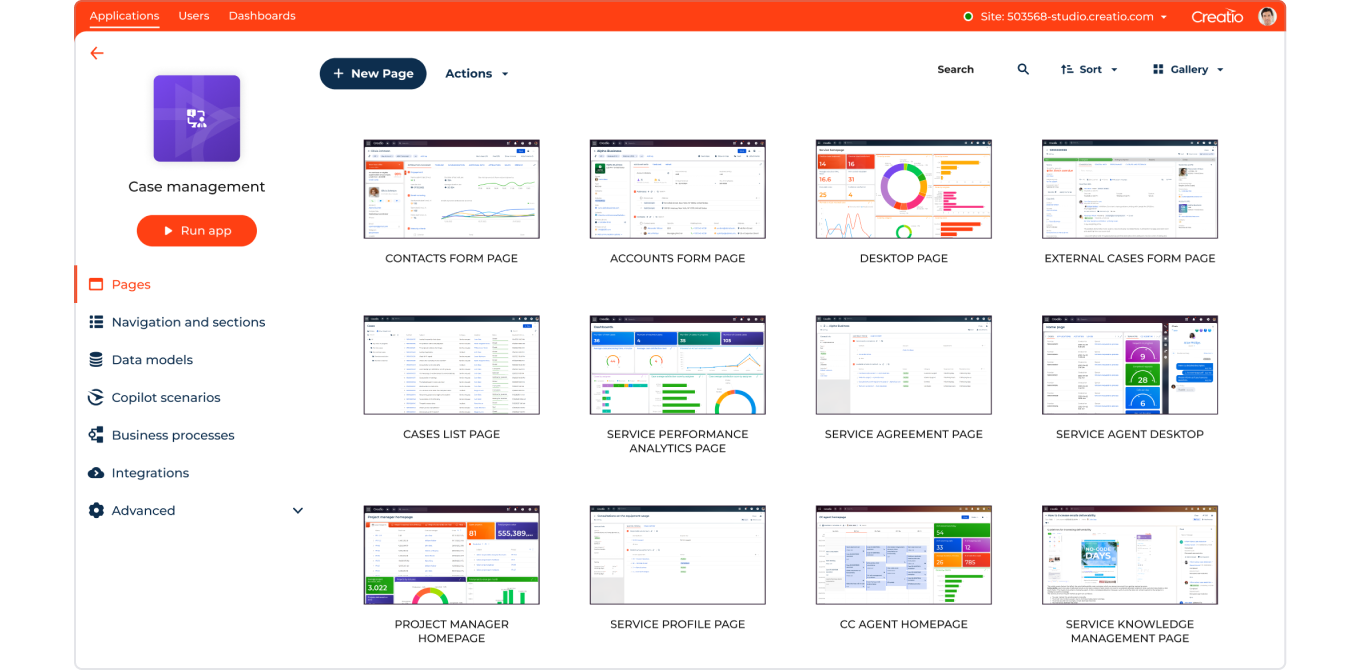
The platform is a great option for midsize and enterprise organizations looking to automate complex workflows and build enterprise applications without relying on extensive coding. Its core offerings include:
- Creatio Business & AI Studio – the core platform for orchestrating human-led and agentic workflows. It includes Creatio Business Studio, an AI-native platform for building agents and applications with AI coding agents and visual no-code designers, and AI Studio, an AI-native platform for managing the end-to-end AI agent lifecycle, built into the platform.
- Creatio CRM – AI CRM products for sales, marketing, and service with embedded AI agents, ready-to-use industry workflows, and AI-driven capabilities that help organizations automate customer-facing and back-office processes.
With its composable architecture, intuitive drag-and-drop designers, and unified AI capabilities, organizations can build workflows of virtually any complexity while tailoring applications to their unique business requirements. The platform also integrates with more than 700 applications and connectors through the Creatio Marketplace, making it easy to connect existing enterprise systems while maintaining robust security and governance.
Today, tens of millions of workflows run on Creatio every day, supporting thousands of organizations across 100 countries. Recognized by independent analysts like Gartner, Forrester, and Nucleus Research, Creatio has received numerous industry awards for innovation and customer value. According to a Nucleus Research study, organizations using Creatio reduced technology costs by 37% and implementation timelines by 70%, demonstrating measurable business impact and faster time to value.
Top Features
- AI CRM for Sales, Marketing, and Service — embedded CRM AI agents and ready-to-use workflows help automate customer-facing and back-office processes.
- AI-powered industry workflows — ready-to-use workflows for financial services, manufacturing, and other industries to accelerate business processes.
- AI-native engine — build 10X faster with coding agents, the latest AI stack, and advanced visual no-code designers to streamline application development and workflow automation.
- Built-in AI agents for coding, prompting, and multi-step workflows — rapidly develop, deploy, and evaluate AI agents built with natural language prompts, or build deterministic multi-step agents using workflows and visual tools.
- Unlimited Enterprise model — provides unlimited access to the platform, CRM products, AI capabilities, users, AI agents, workflows, and applications, helping organizations scale smarter and accelerate revenue.
Potential Drawbacks
- The platform's extensive capabilities may require an initial learning curve for new users.
Creatio Pricing
Creatio offers a flexible pricing model that allows organizations to pay only for the products they need. Creatio Business & AI Studio platform offers multiple plans starting at $40 per user/month, including Enterprise at $75 per user/month and Unlimited Enterprise with custom pricing. Every platform plan includes built-in Predictive AI, Generative AI , and Agentic AI capabilities. The platform can be extended with ready-to-use CRM products – Creatio Sales, Creatio Marketing, and Creatio Service – for an additional $15 per user/month each.
2. Monday
Monday.com is a popular work management platform used for automating business processes. It offers a visual workflow builder that allows teams to create and automate workflows tailored to their specific needs. Its intuitive no-code workflow builder and visual interface make it easy for business users to create automations without technical expertise, making the platform a strong choice for small and mid-sized teams. It helps users customize workflows for various use cases, such as operations, marketing, sales, product, and others, without writing a single line of code.

Top Features
- Visual no-code workflow builder with customizable automations.
- Extensive template library for project management, sales, marketing, operations, and more.
- 200+ native integrations with business applications, including Slack, Microsoft Teams, and Google Workspace.
Potential Drawbacks
- Initial setup and onboarding can be time-consuming, particularly for larger teams.
- Many automation and enterprise capabilities, including advanced AI, are only available on higher-tier plans.
- Less suitable for managing complex, enterprise-wide business processes than dedicated workflow automation platforms.
Monday Pricing
Pricing starts at €12 per user/month for the Basic plan. Monday.com also offers a free trial and a free plan for up to two users with limited functionality.
3. Hive
Hive is a project management and collaboration platform that excels in streamlining workflows for small to midsize teams. Its intuitive interface and customizable project views allow companies to automate and manage tasks, communicate effectively, and track progress in real-time.
Hive offers built-in workflow automation through its Workflows and Automations feature, allowing users to eliminate repetitive tasks using custom trigger-action rules. These automations can be applied to actions such as moving tasks, updating fields, or assigning owners based on defined conditions. With collaboration tools like in-app email, in-app chat, and customizable project views, Hive enables teams to streamline workflows without manual follow-up.
Top Features
- Built-in workflow automation with custom trigger-action rules.
- Multiple project views and customizable workspaces for managing tasks and workflows.
- Collaboration tools, including in-app email, chat, and real-time project tracking.
Potential Drawbacks
- Better suited for small and midsize teams than large enterprises with complex workflow requirements.
- Limited to 500 workflow automations across all pricing plans.
- Task cards cannot include files or images, which may limit collaboration for media-rich workflows.
Hive Pricing
The most popular plan is Teams, starting at $12 per user/month. The pricing for enterprises is provided upon request.
4. Miro
Miro is a visual collaboration platform designed for real-time brainstorming, planning, and cross-functional teamwork. With over 300 ready-made templates for workflows like product development, design sprints, user research, and strategic planning, it allows teams to facilitate remote workshops and design thinking sessions.

Although Miro isn’t a dedicated workflow automation tool, it supports workflow mapping and offers robust integration capabilities with over 130 apps (Jira, Asana, Figma, Slack, and other tools) to support seamless collaboration between teams and stakeholders. Project managers can enhance custom workflows with tools for stakeholder engagement, version tracking, and visual alignment. Built-in AI features also allow users to generate documents, tables, diagrams, prototypes, and images to speed up workspace creation.
Top Features
- 300+ prebuilt templates for workflow mapping, brainstorming, and strategic planning.
- Integrations with 130+ business applications, including Jira, Asana, Figma, and Slack.
- Built-in AI capabilities for generating documents, diagrams, tables, prototypes, and images.
Potential Drawbacks
- 300+ prebuilt templates for workflow mapping, brainstorming, and strategic planning.
- Integrations with 130+ business applications, including Jira, Asana, Figma, and Slack.
- Built-in AI capabilities for generating documents, diagrams, tables, prototypes, and images.
Miro Pricing
Pricing starts at $8 per member per month. Miro also offers a free plan with limited capabilities.
5. HubSpot
HubSpot is a popular CRM platform that supports workflow automation capabilities as part of its Marketing, Sales, and Operations Hubs. Its no-code automation builder allows users to create workflows that automate repetitive tasks, manage contact lifecycles, and trigger actions based on user behavior, form submissions, or CRM updates.
The platform supports conditional logic, multi-step workflows, and cross-functional triggers, making it well suited for use cases such as lead nurturing, internal task automation, customer follow-ups, and data management. HubSpot also integrates with hundreds of tools, including Gmail, Zoom, Slack, and Salesforce, enabling seamless automation of workflows across different business systems.

Top Features
- No-code workflow automation builder with conditional logic and multi-step workflows.
- Automation for marketing, sales, and operations processes, including lead nurturing, customer follow-ups, and data management.
- Integrations with hundreds of business applications, including Gmail, Zoom, Slack, and Salesforce.
Potential Drawbacks
- No-code workflow automation builder with conditional logic and multi-step workflows.
- Automation for marketing, sales, and operations processes, including lead nurturing, customer follow-ups, and data management.
- Integrations with hundreds of business applications, including Gmail, Zoom, Slack, and Salesforce.
HubSpot Pricing
The pricing for its marketing, sales, operations and customer service products starts at $15 per user/month for a Starter package, and ranges between $100-$800+ for the Professional plan.
6. ClickUp
ClickUp is a flexible workflow management platform that unifies task management, docs, goals, and workflow automation into a single workspace. Its automation engine allows users to create rule-based workflows that trigger actions like task creation, status changes, assignment updates, and notifications.
ClickUp Automations includes a library of over 100 pre-built automation templates designed to streamline repetitive tasks and manage project handoffs. It also supports dynamic assignments, project shortcuts, and email-based automation, which makes it suitable for workflows in project management, engineering, CRM, and cross-functional team collaboration.

Top features
- Rule-based workflow automation with customizable triggers and actions.
- 100+ prebuilt automation templates for repetitive tasks and project handoffs.
- Unified workspace that combines task management, docs, goals, and workflow automation.
Potential Drawbacks
- Many advanced automation features are only available on higher-tier plans.
- Building and scaling complex workflows may require significant configuration.
- The platform's extensive customization options can increase the learning curve for new users.
ClickUp Pricing
Pricing starts at $10 per user/month. Additional charges may apply based on automation volume and AI usage.
7. Nintex
Nintex is a workflow automation software designed to streamline complex business operations at scale. Its drag-and-drop workflow designer allows users to automate tasks such as approvals, document generation, and data routing across departments like HR, finance, IT, and legal.
Nintex offers a comprehensive set of workflow automation capabilities, including process mapping to help organizations visualize, optimize, and automate complex workflows. The platform also supports robotic process automation (RPA), document automation, and e-signatures, enabling businesses to manage end-to-end processes within a unified environment.

Top Features
- Drag-and-drop workflow designer for automating complex business processes.
- Process mapping tools for visualizing and optimizing workflows.
- Integrated RPA, document automation, and e-signatures within a unified platform.
Potential Drawbacks
- Better suited for enterprises than small businesses due to its complexity and pricing.
- The learning curve can be challenging for new users.
- Building highly customized workflows may require technical expertise beyond the no-code interface.
Nintex Pricing
Nintex does not publicly list fixed pricing. Plans vary based on user count, product scope (e.g., Forms, RPA, Workflow Cloud), and deployment model. A free trial and custom quote are available upon request.
8. Kissflow
Kissflow is a self-serve workflow automation and business process management (BPM) platform designed to help businesses create, manage, and optimize workflows without extensive coding. Its user-friendly interface and customizable templates make it easy to automate repetitive tasks, approvals, and multi-step processes with minimal technical effort.
With no-code tools and Smart Boards, Kissflow allows users to build personalized dashboards, automate reporting, and streamline both structured and unstructured workflows across various functions and industries. The platform also integrates with a range of third-party tools to boost productivity and enhance collaboration.

Top Features
- No-code workflow automation with customizable templates for business processes.
- Smart Boards for personalized dashboards and automated reporting.
- Support for both structured and unstructured workflows with third-party integrations.
Potential Drawbacks
- No-code workflow automation with customizable templates for business processes.
- Smart Boards for personalized dashboards and automated reporting.
- Support for both structured and unstructured workflows with third-party integrations.
Kissflow Pricing
Plans start at $1,500/month (Small Business, up to 30 users). A free plan is available upon request.
9. Zapier
Zapier is a widely used automation platform that connects apps and automates workflows without writing code. It enables users to build automated sequences, known as "Zaps", by linking triggers and actions across over 6,000 applications and tools such as Gmail, Google Sheets, Slack, Salesforce, HubSpot, Trello, and more.

Zapier is particularly popular for automating simple, cross-platform tasks such as syncing data between apps, sending alerts, managing form responses, and updating CRM records. It supports both single-step and multi-step workflows powered by conditional logic, filters, and scheduled triggers. Its user-friendly interface makes the platform accessible to both technical users and citizen developers.
Top Features
- No-code automation with support for more than 6,000 app integrations.
- Single-step and multi-step workflows with conditional logic, filters, and scheduled triggers.
- User-friendly interface that enables both technical users and citizen developers to build automations.
Potential Drawbacks
- Better suited for application integration than complex, end-to-end workflow automation.
- Scalability can be limited for enterprise workflows with advanced orchestration requirements.
- Advanced automation capabilities, including Paths, multi-branching logic, and higher task limits, are only available on premium plans.
Zapier Pricing
Pricing starts at $29.99/month, though the total cost depends on the selected features and monthly task volume.
10. Integrify
Integrify is a low-code workflow automation platform designed for enterprise teams that need to build new workflows and manage complex business processes with precision. It offers a drag-and-drop process builder that supports parallel tasks, approval routing, SLAs, branching logic, and escalations – the reason why it is recommended for regulated industries and departments like HR, finance, compliance, and IT.
Integrify provides advanced capabilities, including customizable form building, user role management, audit trails, and real-time reporting. It can automate workflows triggered by form submissions, data changes, or third-party integrations, and supports integration with external systems such as ERP, and CRM platforms, ensuring seamless data flow across business applications.
Top Features
- Drag-and-drop workflow designer with support for parallel tasks, approval routing, branching logic, and SLAs.
- Advanced governance capabilities, including customizable forms, user role management, audit trails, and real-time reporting.
- REST API integrations with enterprise systems, including ERP and CRM.
Potential Drawbacks
- Initial setup may require more technical expertise than no-code workflow automation platforms.
- The learning curve can be challenging for non-technical users.
- Better suited for complex enterprise workflows than simple departmental automation needs.
Integrify Pricing
Integrify does not publish fixed pricing; plans are tailored based on user count and deployment needs. A free trial and custom demo are available upon request.
Best Practices for Automating Workflows
Successful workflow automation starts with a clear strategy, not just the right technology. Follow these best practices to streamline implementation and maximize business value:
#1. Start with standardized, high-impact workflows
Begin by automating repetitive, rules-based processes with clear business value, such as approvals, employee onboarding, service requests, or invoice processing. Early wins help build momentum for broader automation initiatives.
#2. Map and document your workflows
Before automating, understand how work flows today. Identify bottlenecks, manual handoffs, decision points, and opportunities to simplify the process before digitizing it.
#3. Optimize before you automate
Automating an inefficient process only makes it more complicated. Make sure you remove unnecessary steps, eliminate redundancies, and standardize workflows before introducing automation.
#4. Involve business users from the start
The people who execute workflows every day understand where delays, errors, and exceptions occur. Engaging them early helps design workflows that are practical, user-friendly, and aligned with business needs.
#5. Define success with measurable KPIs
Establish metrics such as cycle time, processing costs, error rates, SLA compliance, customer satisfaction, or employee productivity to measure the impact of workflow automation and identify opportunities for improvement.
#6. Connect your business systems
Workflow automation delivers the greatest value when it connects CRM, ERP, collaboration tools, and other enterprise applications into a seamless process rather than creating isolated automations.
#7. Continuously monitor and improve
Business processes evolve over time. Regularly analyze workflow performance, gather user feedback, and refine automations to adapt to changing business requirements. AI-powered insights can help identify new optimization opportunities and recommend process improvements.
Key Workflow Automation Trends for 2026 and Beyond
As organizations move beyond task automation toward AI-powered enterprise operations, workflow automation is becoming the foundation for intelligent, connected businesses. According to the 2026 Workflow Automation Outlook, the following trends will shape the future of workflow automation:
- AI-ready architecture. Organizations are replacing fragmented technology stacks with unified, AI-ready platforms that connect data, workflows, enterprise systems, and AI agents, turning complexity into a scalable foundation for intelligent automation.
- Process transformation before technology transformation. Rather than simply introducing new technologies, organizations are redesigning and optimizing business processes first, ensuring automation and AI deliver meaningful business value.
- Governance as an innovation enabler. As AI becomes embedded in business workflows, governance, security, compliance, and transparency are becoming essential capabilities for scaling automation responsibly and confidently.
- Autonomous CRM powered by AI agents. AI agents are increasingly embedded into CRM workflows to automate decisions, support customer-facing teams, and deliver more personalized, proactive customer experiences.
- Business outcomes over feature volume. Organizations are shifting their focus from feature volume to business value, measuring the success of workflow automation through outcomes such as productivity, operational efficiency, customer satisfaction, and revenue growth.
Compared to previous years, the focus has shifted from expanding workflow automation to building AI-ready, intelligent enterprises. Rather than focusing on automation alone, organizations are now prioritizing AI-powered workflows, trusted governance, and measurable business outcomes.
Summary
As organizations embrace AI and digital transformation, workflow automation has evolved from automating repetitive tasks to orchestrating end-to-end business processes across people, AI agents, and enterprise systems. Organizations are increasingly adopting AI-native platforms to improve productivity, streamline operations, and deliver measurable business outcomes.
Creatio enables organizations to automate and orchestrate customer and operational workflows of any complexity on a unified AI-native platform. By combining intelligent workflow automation, CRM, and industry workflows, it helps organizations innovate faster, adapt to changing business needs, and scale AI across the enterprise without heavy IT involvement.
Ready to see Creatio in action?
Request a guided demo to explore how Creatio can help your organization automate workflows, orchestrate AI agents, and accelerate digital transformation.
