




































































20 Essential CRM Features to Look for in CRM Software

Discover the Powerful Features of Creatio CRM

Customer relationship management software provides a comprehensive suite of features that enable businesses to manage relationships, streamline processes, and drive revenue growth. From capturing leads and closing deals to supporting customers and automating tasks, CRM features help organizations increase their productivity and efficiency.
As CRM platforms continue to expand, understanding which features truly matter and how they work together becomes increasingly important. This article breaks down the essential CRM features of modern systems, helping you identify the CRM functions that best support your business goals.
Key Takeaways
- Core CRM software capabilities include contact and account management, customer 360 view, workflow automation, omnichannel communication, integrations, data security, and customization.
- CRM function-specific features support service, sales, and marketing processes, such as case management, pipeline management, lead and opportunity tracking, and campaign execution.
- No-code customization allows organizations to adapt CRM features and automated workflows without coding or heavy IT involvement.
- AI-powered features and autonomous agents improve forecasting, prioritization, decision-making, and task automation across teams.
- Choosing the right CRM features depends on business goals, team size, industry requirements, and individual business needs.
20 CRM Features List
Customer relationship management software offers plenty of different features, but in that case, more is not always better, and having too many features might do more harm than good. Additional functionality might drive up costs and make the system overly complicated for its users. It’s crucial to choose features that will empower customer-related operations without overburdening the user. In this section, we describe the key CRM functionality, identifying features that are essential to effective customer relationship management.
From contact management to analytics and reporting, we characterize the tools that help organizations build connections, streamline processes, and gain valuable insights into their customer base and operations.
1. Contact & Account Management
The contact and account management CRM feature centralizes company and customer data in one organized system. It enables users to categorize and segment contacts and accounts based on various criteria, including industry, location, deal stage, and behavior.
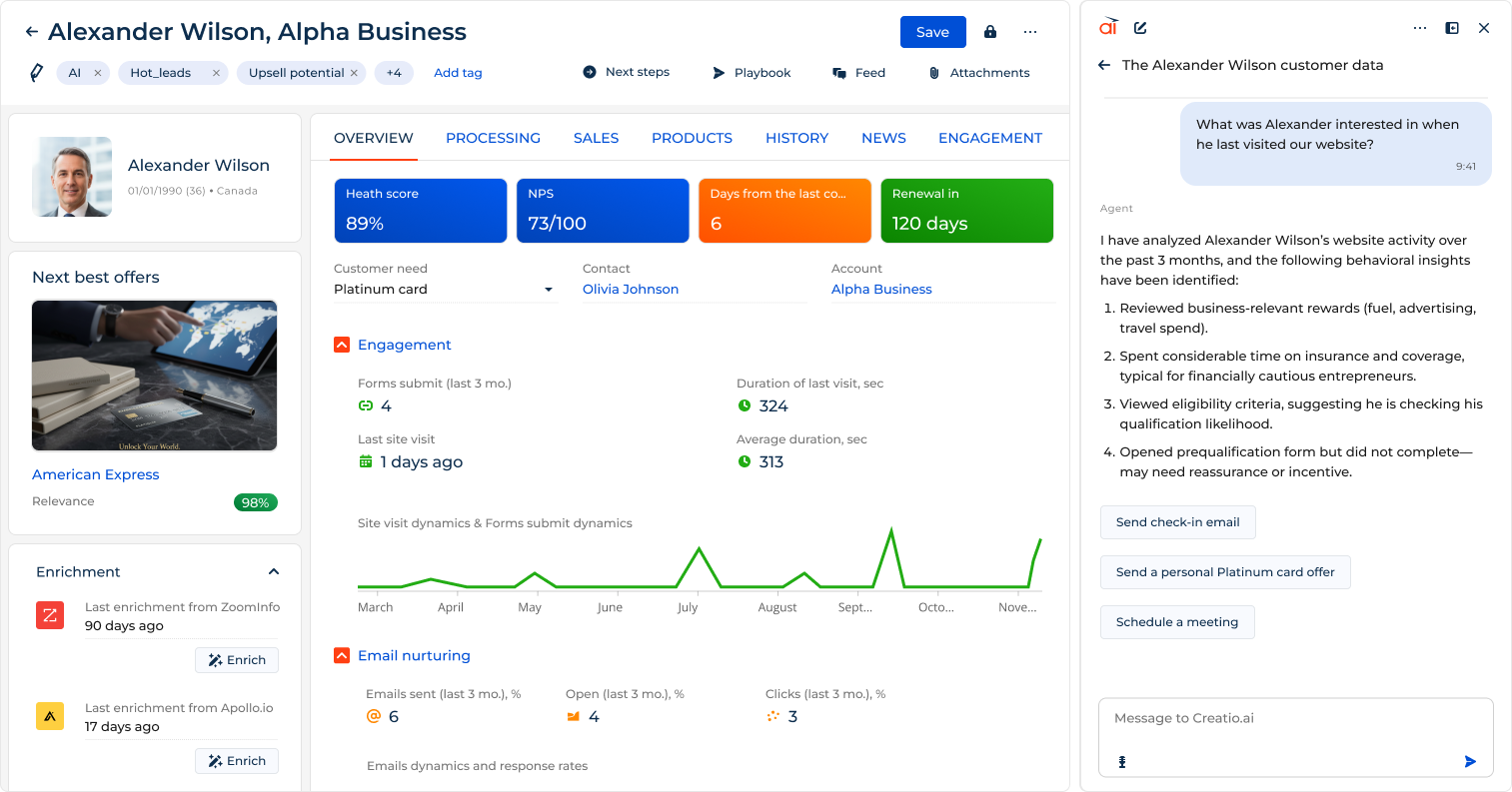
By tracking all customer interactions in one place, contact and account management supports timely follow-ups, consistent communication, and stronger customer relationships.
2. Customer 360 View
The customer 360 view provides a centralized database with a complete view of each customer across all touchpoints and systems. It combines customer data from sales, marketing, service, and communication channels into a single, continuously updated client profile.
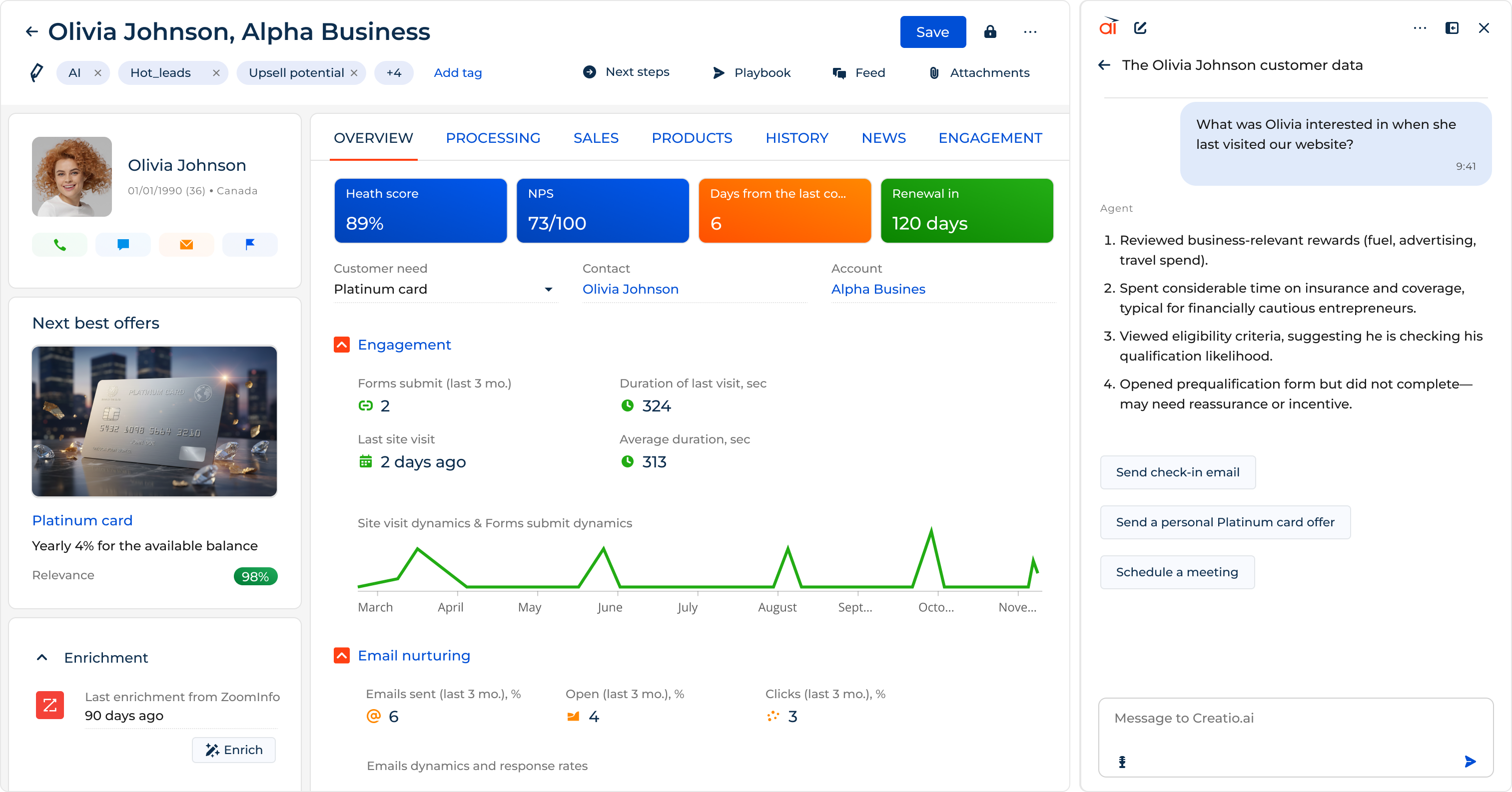
This feature enables teams to access up-to-date information, including previous customer interactions, preferences, purchase history, key account details, customer behavior, and current status. By making this view accessible across the organization, a customer 360 view enables businesses to engage with their customers on a more personalized level at the right time and through their preferred channels across the whole customer lifecycle.
3. Lead Management
Lead management is a CRM feature that captures, tracks, and manages potential customers throughout the sales funnel. It helps businesses collect leads from multiple sources and maintain accurate lead records across the entire sales cycle.
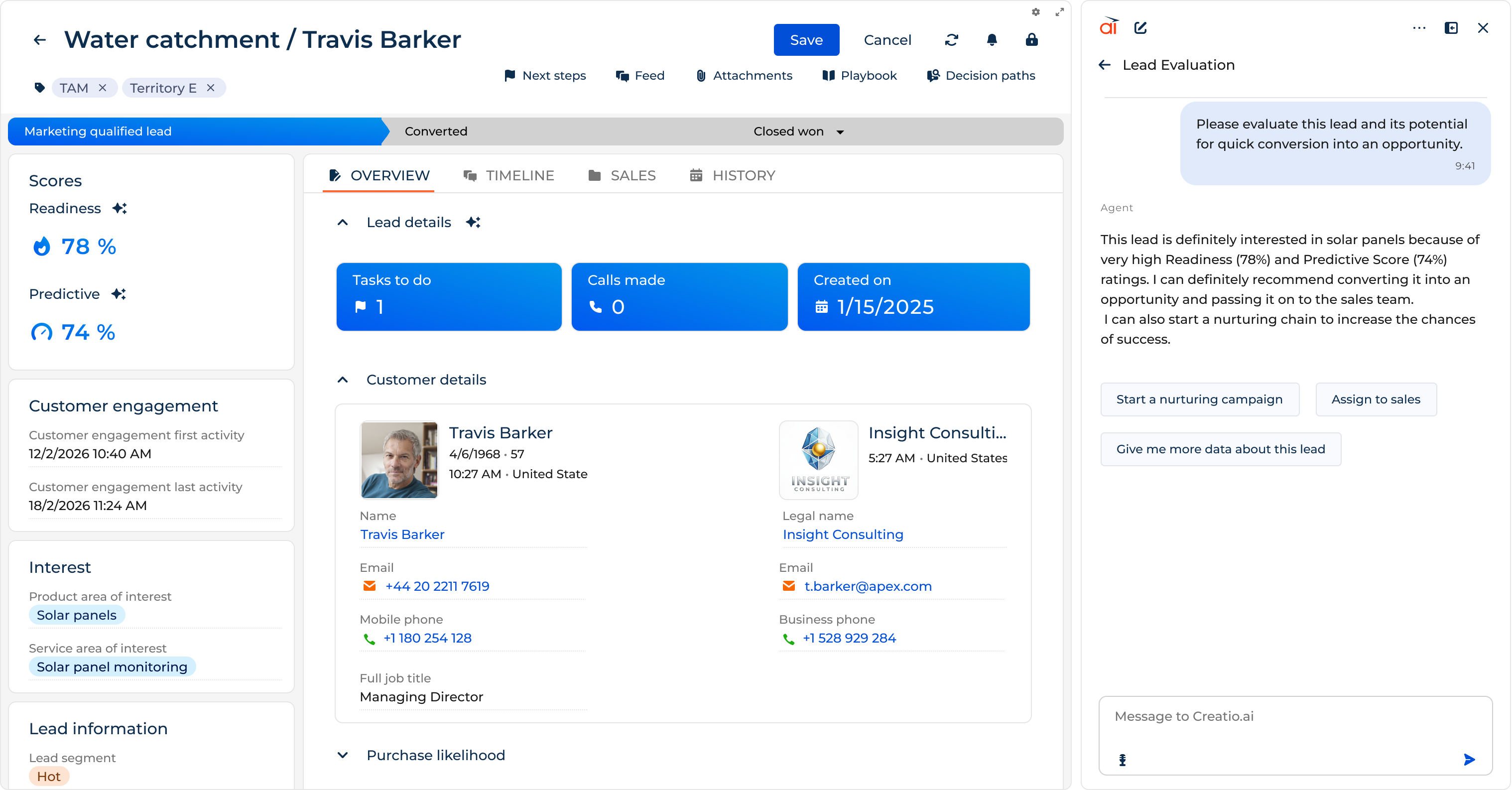
This feature enables teams to qualify, score, and prioritize leads based on predefined criteria and engagement signals. By providing visibility into lead status and activity, lead management supports faster follow-ups and higher conversion rates.
4. Opportunity Management
The opportunity management feature helps transition leads into concrete opportunities by providing a framework for tracking and managing each stage of the sales process. The goal is to understand each prospect's specific needs and deliver support at every step of their purchasing journey with tailored content, demos, and proposals.
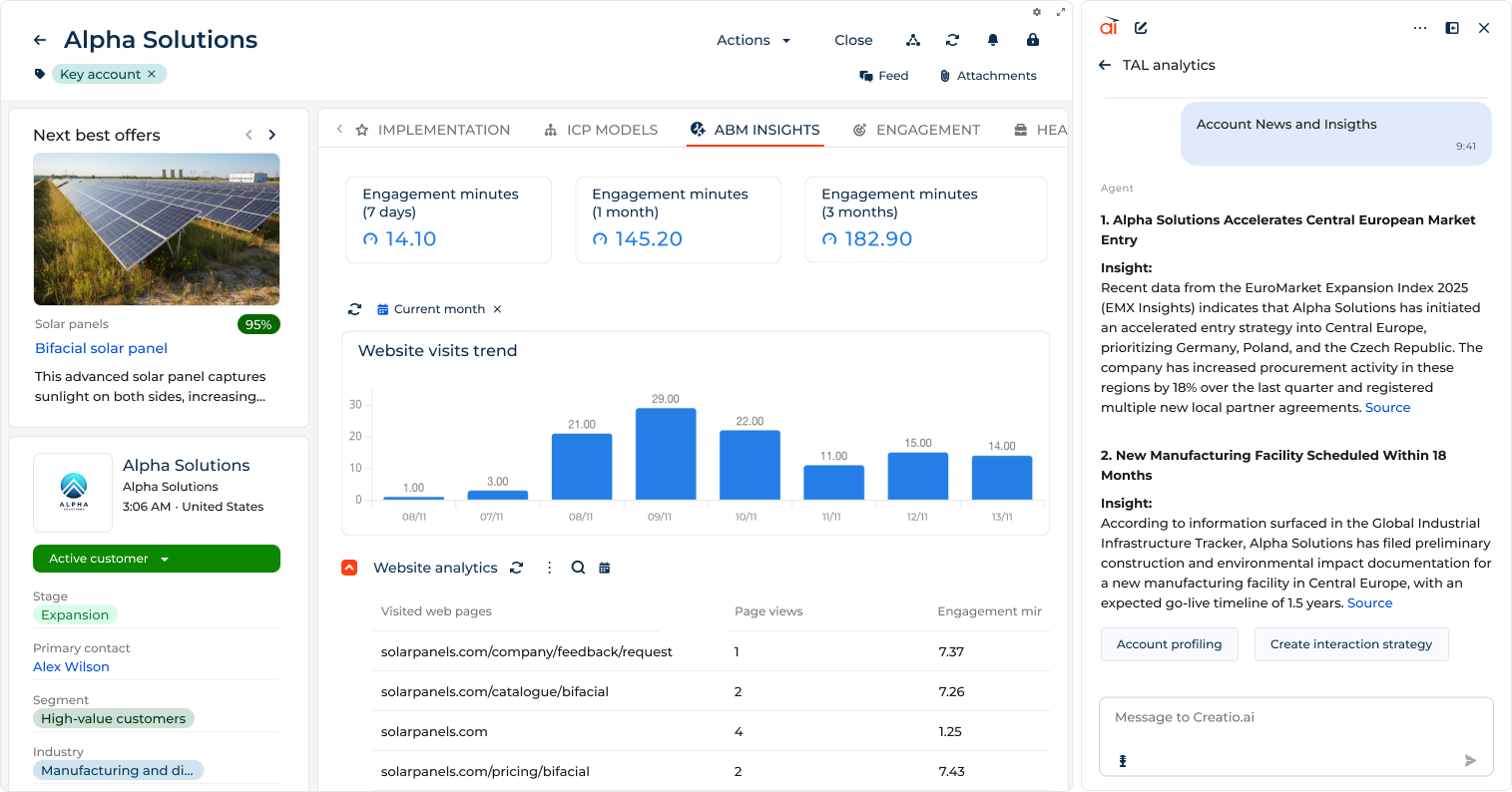
A key advantage of this feature is its ability to automate repetitive tasks, such as segmenting based on predefined criteria, sending follow-up emails, and updating statuses. By automating these tasks, businesses can ensure a consistent and timely approach to lead nurturing, allowing sales teams to focus on high-impact activities and improve their efficiency.
5. Pipeline management
Pipeline management provides organizations with tools to visualize, track, and optimize their sales processes. This feature is designed to give businesses a clear overview of their entire sales pipelines, from initial lead acquisition to the final closure of deals.
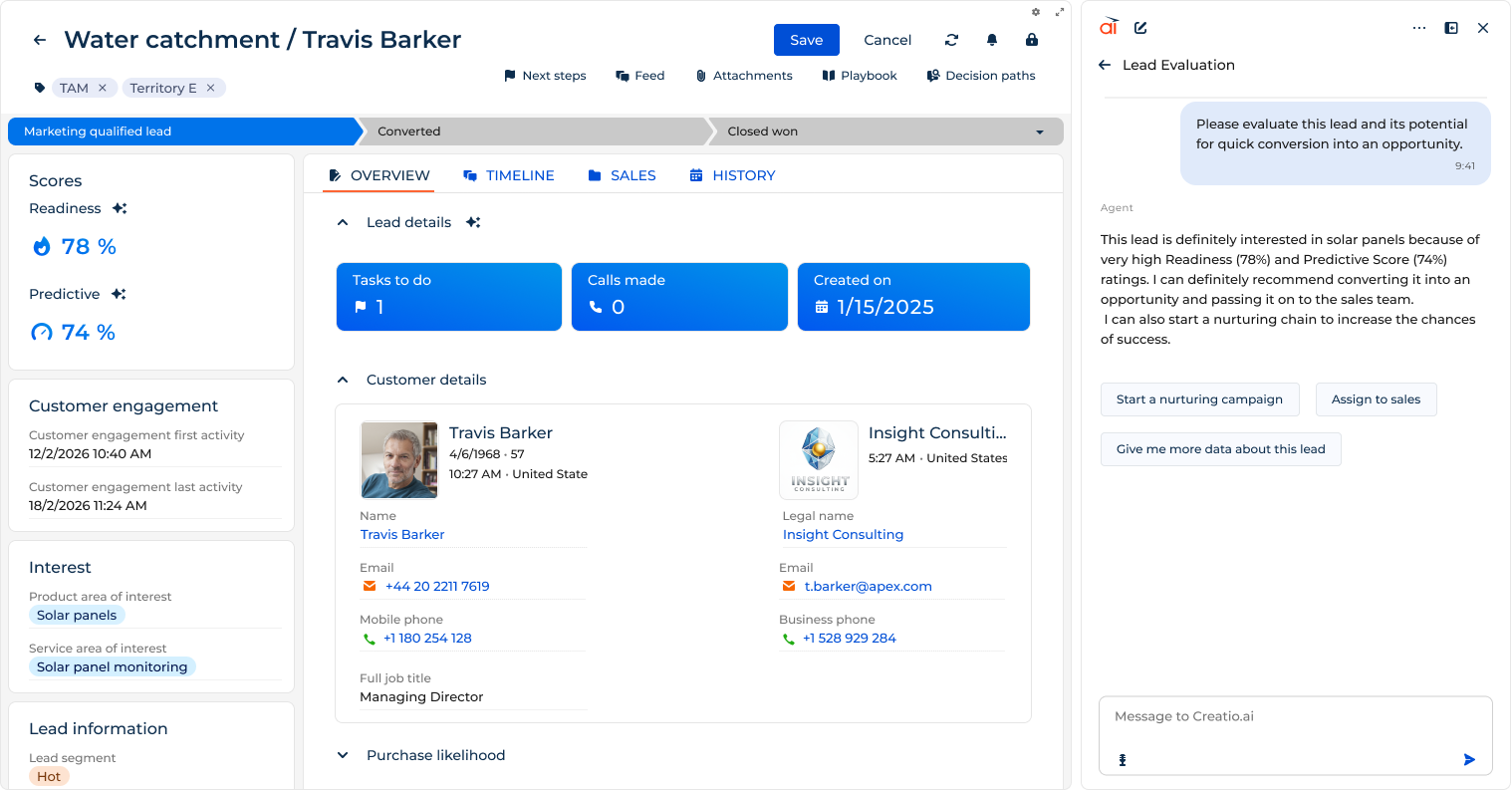
Pipeline management allows businesses to trace their sales stages and define each stage of the sales process, tailoring the pipeline to their specific sales cycle. This visual representation ensures transparency and enables teams to quickly evaluate where each potential deal stands in the sales pipeline. Teams can also identify bottlenecks, analyze conversion rates, and gain insights into the efficiency of their sales processes.
6. Sales Automation
Sales automation is a CRM feature that automates repetitive sales tasks and processes to improve efficiency and productivity. It helps businesses reduce manual work by automatically handling sales activities such as data entry, deal updates, follow-ups, meeting scheduling, and reporting.
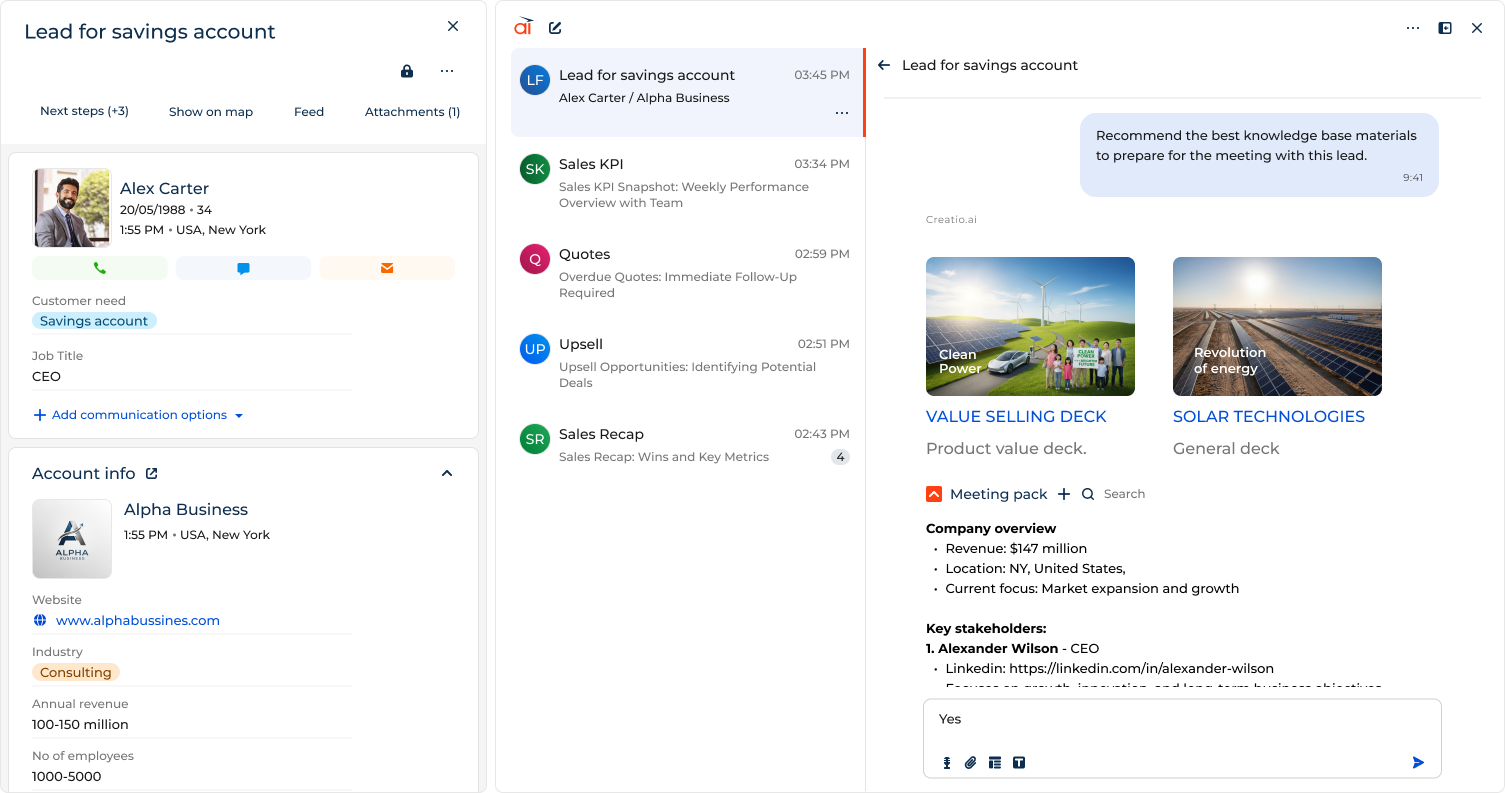
Sales automation enables sales representatives to focus more on selling and building relationships with key customers, rather than wasting precious time on administrative tasks.
Find out how Purplebricks increased lead volume by 35% and saw a 50% jump in conversion rates with Creatio Sales in just a few months
7. Marketing Automation & Campaign Management
Marketing automation and campaign management are crucial features for marketing teams, offering a set of tools to plan, execute, monitor, analyze, and optimize multichannel marketing campaigns. With this feature, marketing specialists can easily segment their target audience and design automated marketing campaigns to engage with prospects or existing customers through various channels (e.g., email, PPC campaigns, social media).
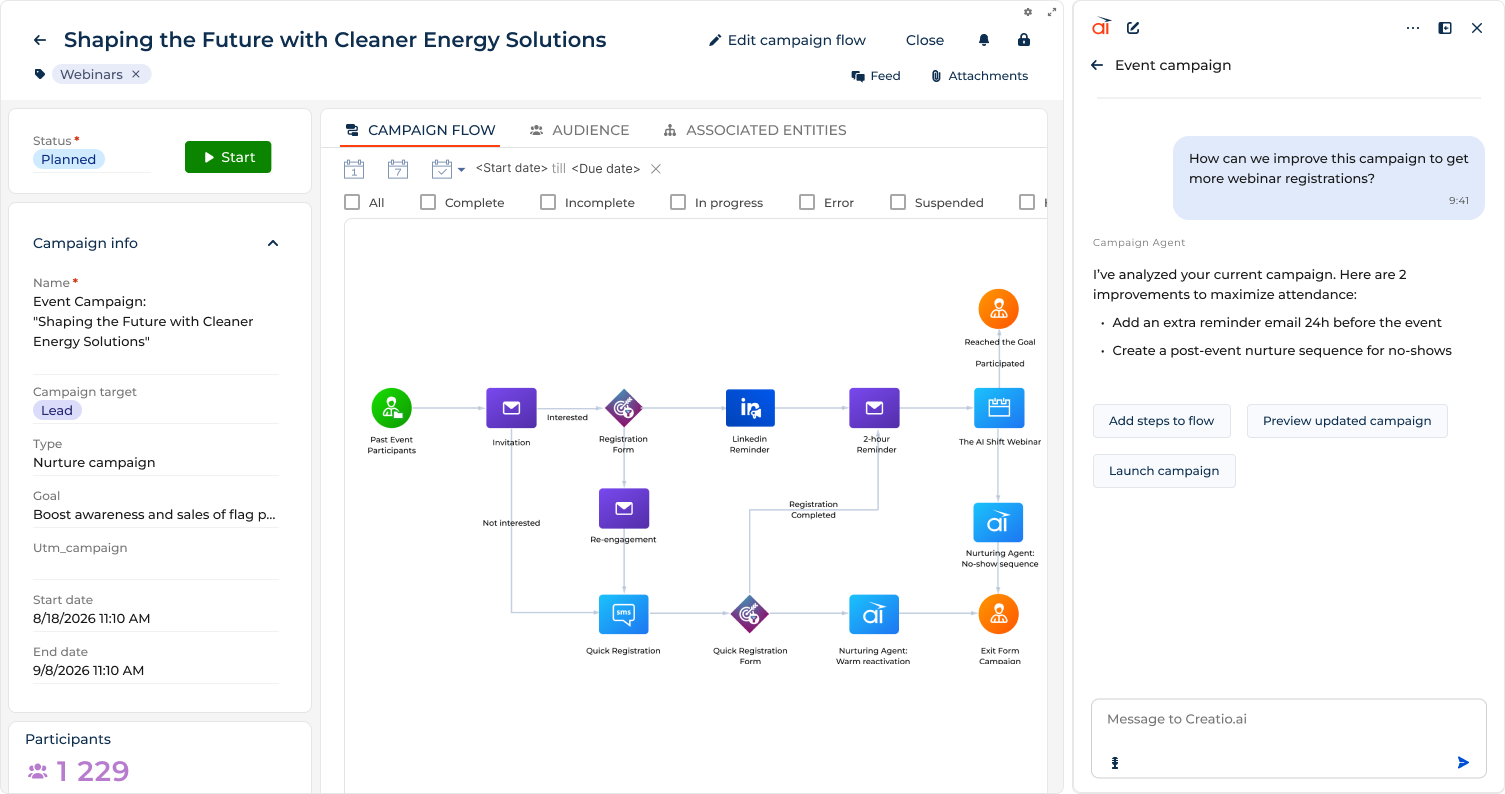
With campaign management, marketers can personalize campaigns based on customer preferences and behavior, increasing open rates and ROI. They can also easily run A/B tests to experiment with different campaign elements, such as email subjects, visuals, or call-to-action buttons, and check their effectiveness. These insights help improve future marketing campaigns, enabling a data-driven approach to marketing strategy.
8. Customer Service & Case Management
Customer service and case management centralize and manage customer support requests across multiple channels. It offers customer service teams a digital workspace to provide omnichannel customer service, effectively handle customers' inquiries, and automate service workflows in a single environment.
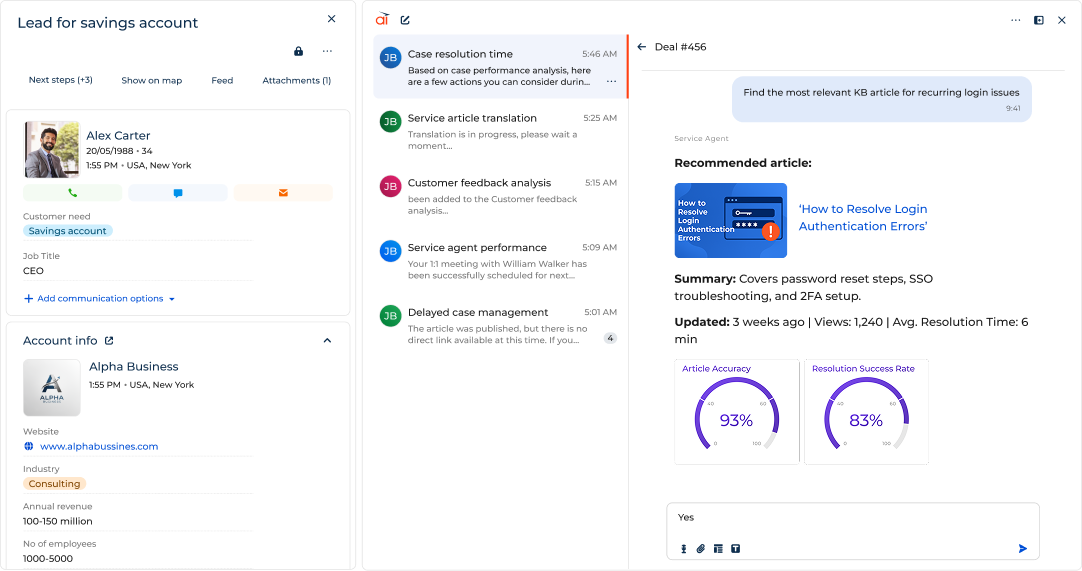
This feature facilitates customer support by automating routine tasks, such as case routing, status updates, and follow-ups, ensuring that service teams can focus on resolving customer issues.
9. Omnichannel Communication
Omnichannel communication is a CRM feature that enables businesses to manage customer interactions across multiple communication channels. It supports consistent customer engagement through various channels, including email, phone, chat, social messaging, and web forms.
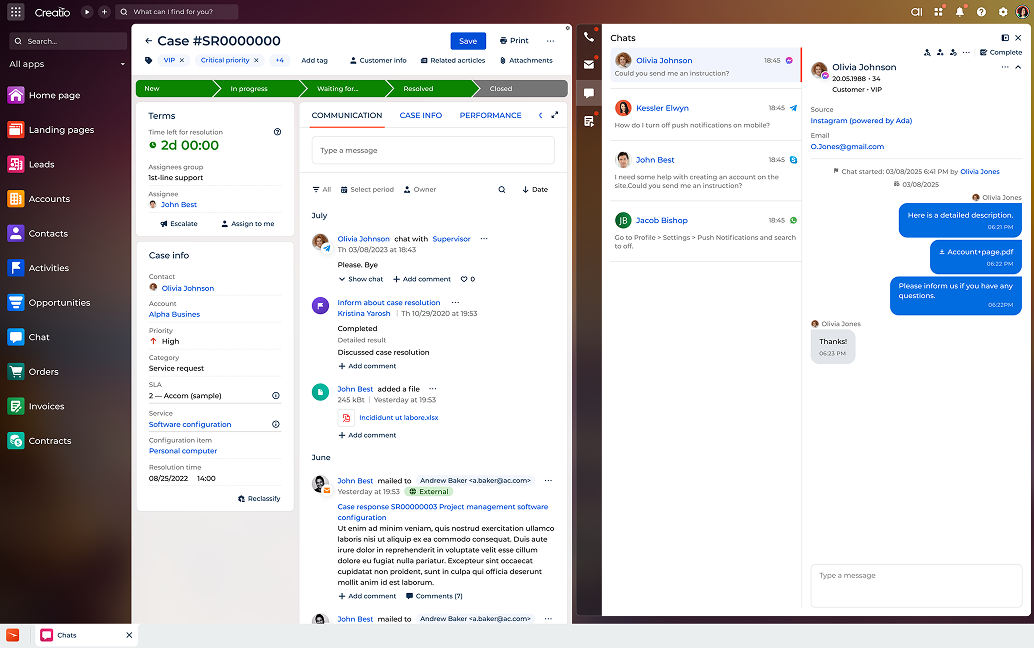
This feature enables teams to view and respond to customer inquiries with the full context of previous interactions, without having customers repeat themselves every time they switch channels. By unifying communication streams, omnichannel communication helps ensure timely responses, consistent messaging, and seamless customer experiences.
10. Workflow Automation
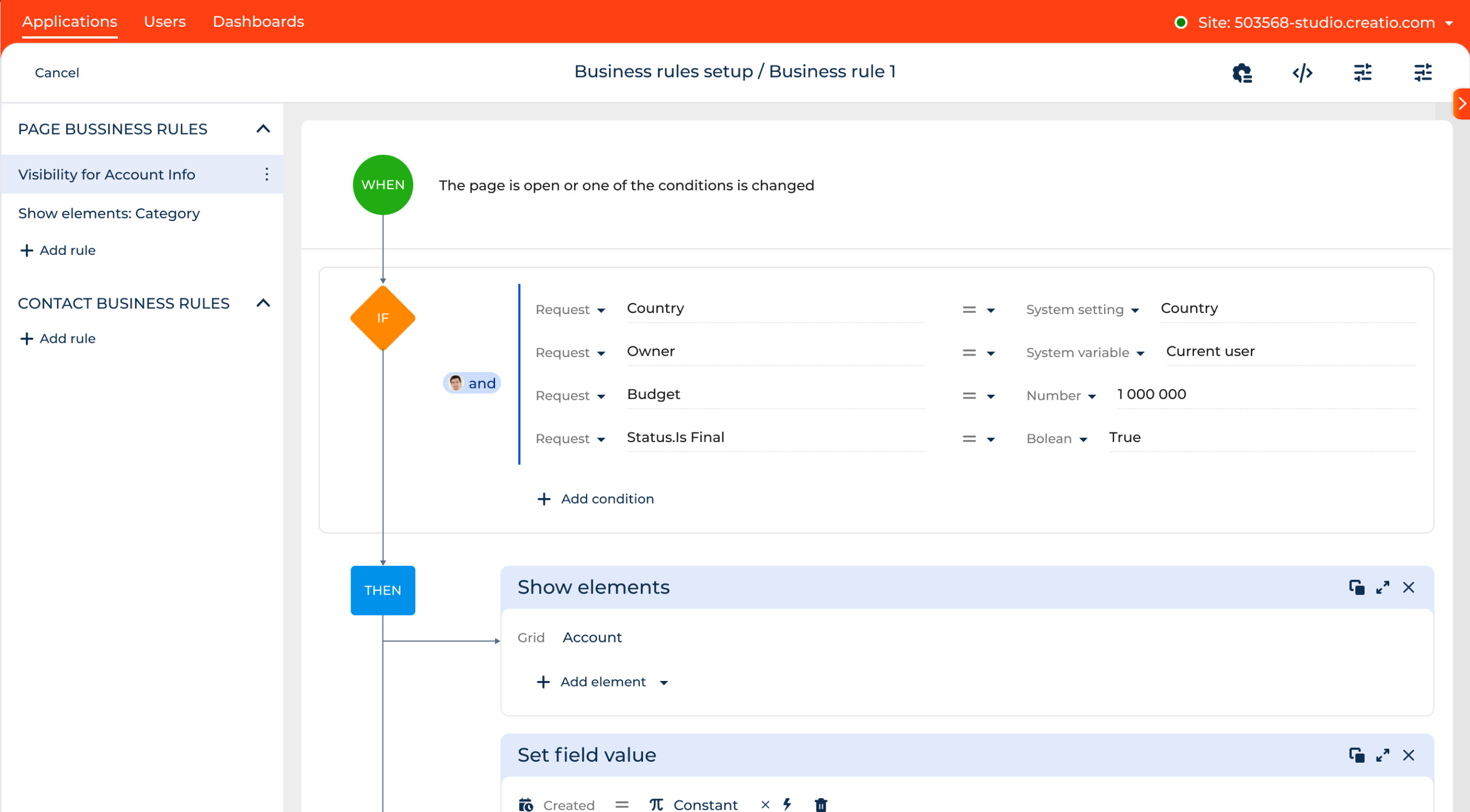
Workflow automation streamlines routine, repetitive tasks, enabling organizations to improve business efficiency. It is a cornerstone feature in CRM systems, helping businesses enhance efficiency, reduce administrative tasks such as manual data entry, and optimize processes across various departments. The workflow automation feature allows organizations to define workflows that trigger tasks, updates, and notifications based on specific conditions or events.
11. Reporting & Analytics Dashboards
The CRM reporting feature enables users to create and customize dashboards that display crucial metrics, including overall business performance, current sales funnel status, team KPIs, ROI of marketing campaigns, and lead generation overviews.
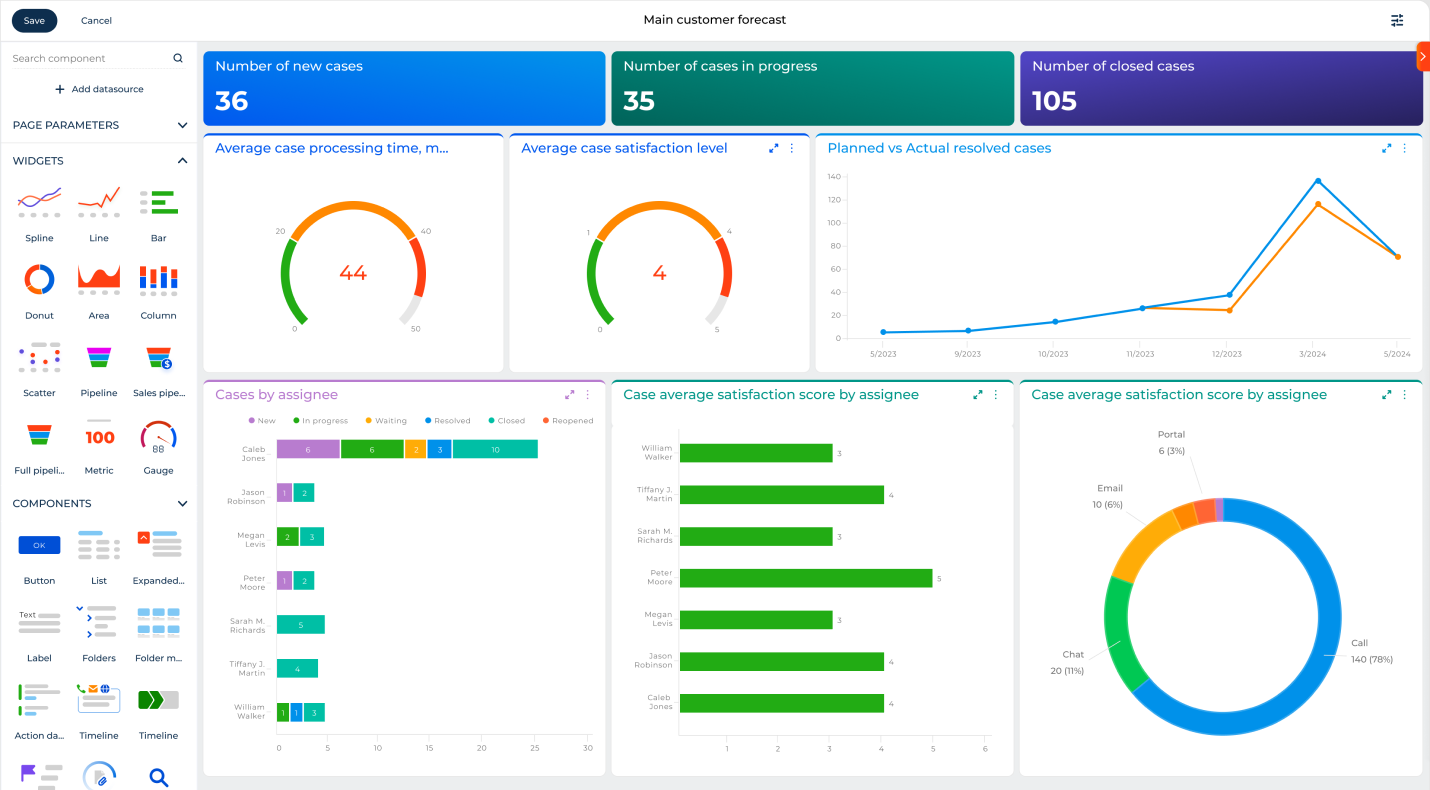
By leveraging these insights, organizations can create custom reports and gain a deeper understanding of their sales processes and customer interactions, adapting their strategies to boost customer satisfaction and increase revenue.
12. Sales Forecasting
Sales forecasting provides businesses with the ability to predict future sales based on historical data, current trends, and real-time insights. This feature helps sales teams make informed decisions, allocate resources, and set realistic goals.
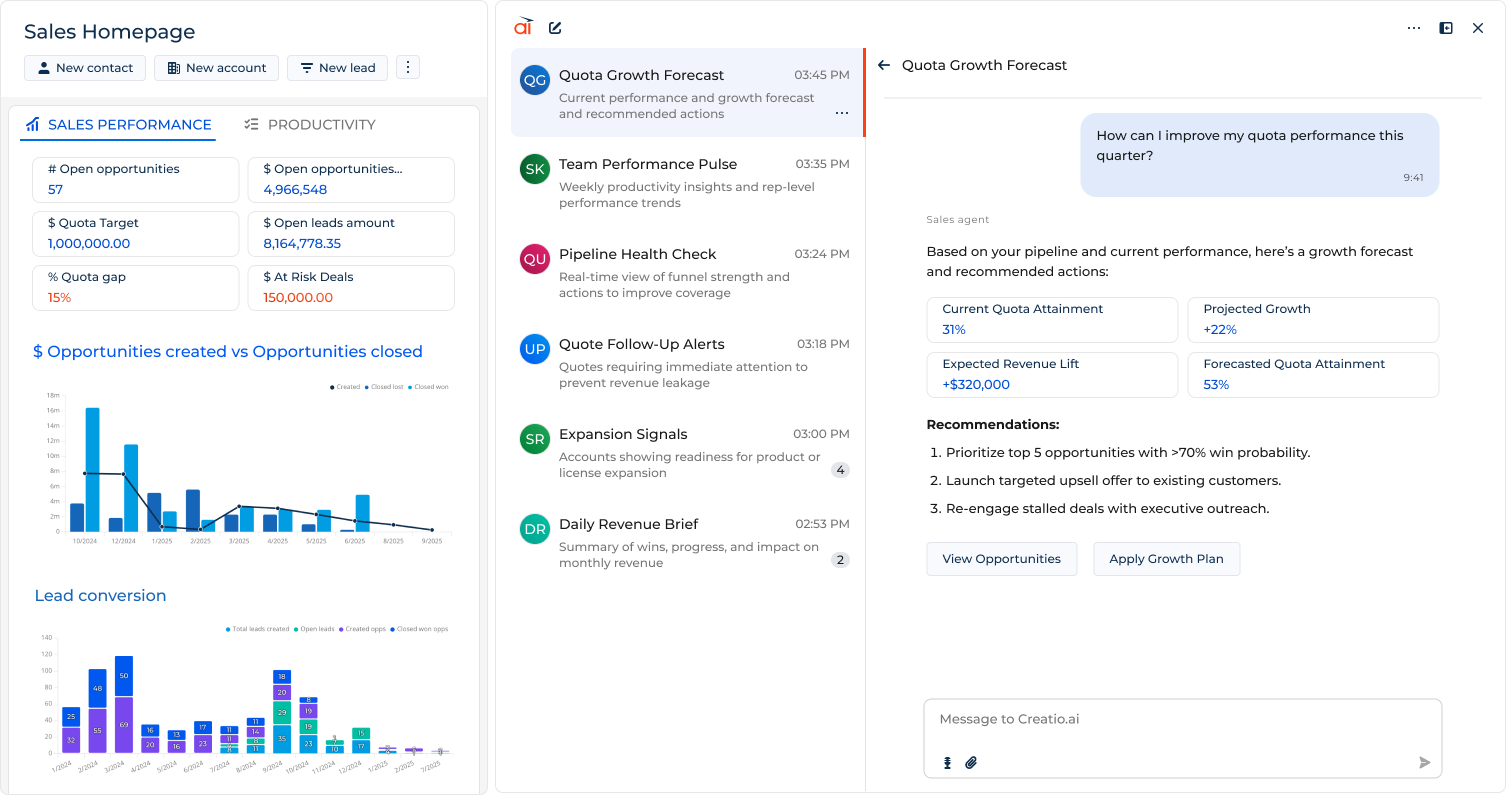
CRM software leverages historical sales data to identify patterns and trends. By analyzing past performance, sales representatives can gain actionable insights into the factors that influence sales, such as seasonality, market trends, or the effectiveness of specific campaigns.
13. Task Management
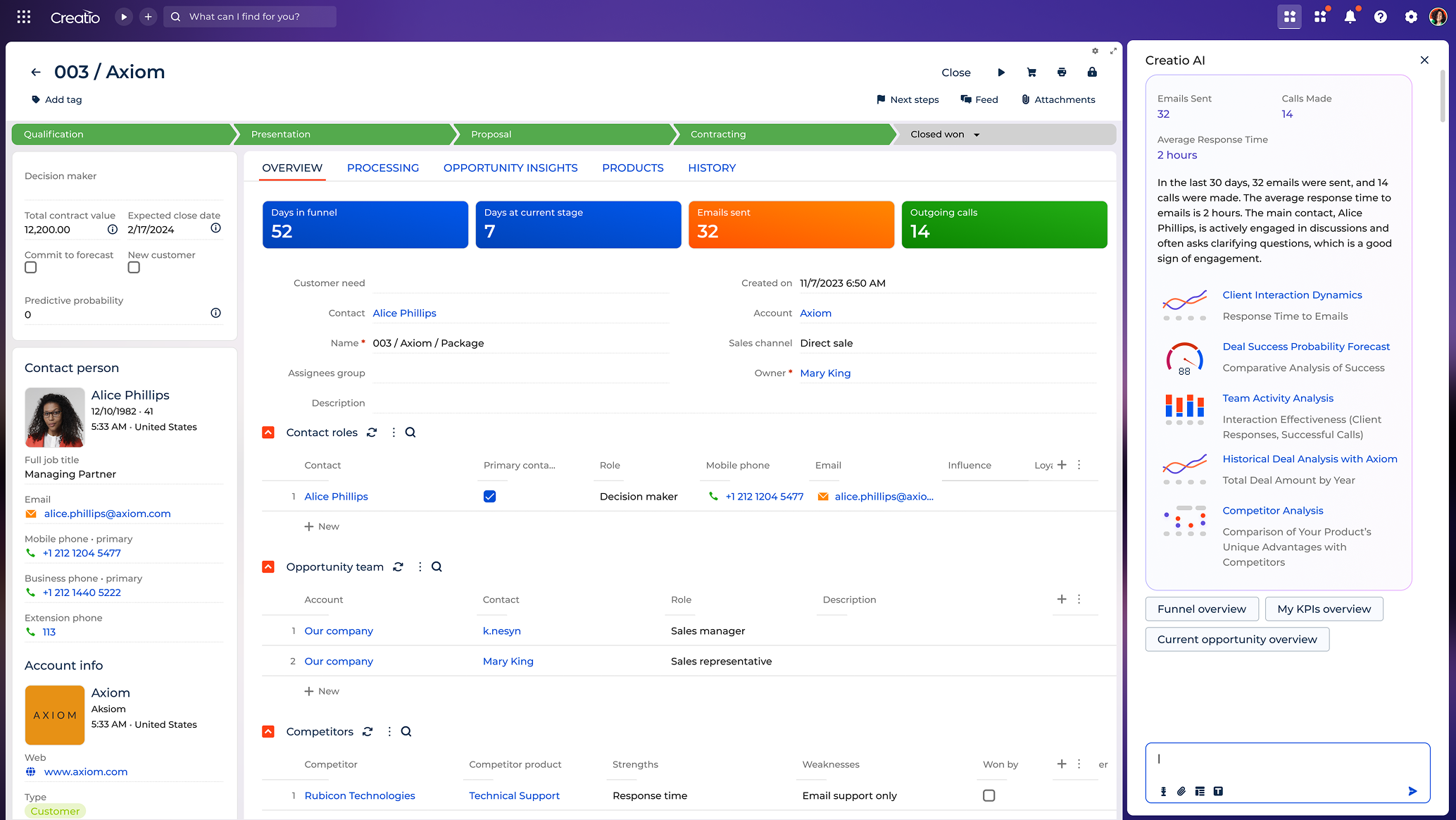
Task management is a key feature in CRM software that empowers organizations to organize, prioritize, and streamline their workflows efficiently. This feature serves as a centralized hub where team members can create, assign, and track tasks, ensuring that everyone is aligned with organizational goals and responsibilities.
14. Document Management
Document management is a CRM feature that creates, stores, and manages business documents in a centralized system. It enables teams to generate quotes, contracts, invoices, and templates directly from CRM data to ensure accuracy and consistency.

This CRM feature supports document version control, approvals, and easy access throughout the entire customer life cycle. By streamlining creation and management, document management helps reduce manual effort, speed up processes, and maintain standardized documentation
15. Integration Capabilities
Integration capabilities allow businesses to link their CRM software with other business tools, from email marketing platforms and project management tools to accounting software and e-commerce platforms, through APIs, pre-built connectors, and marketplace apps.
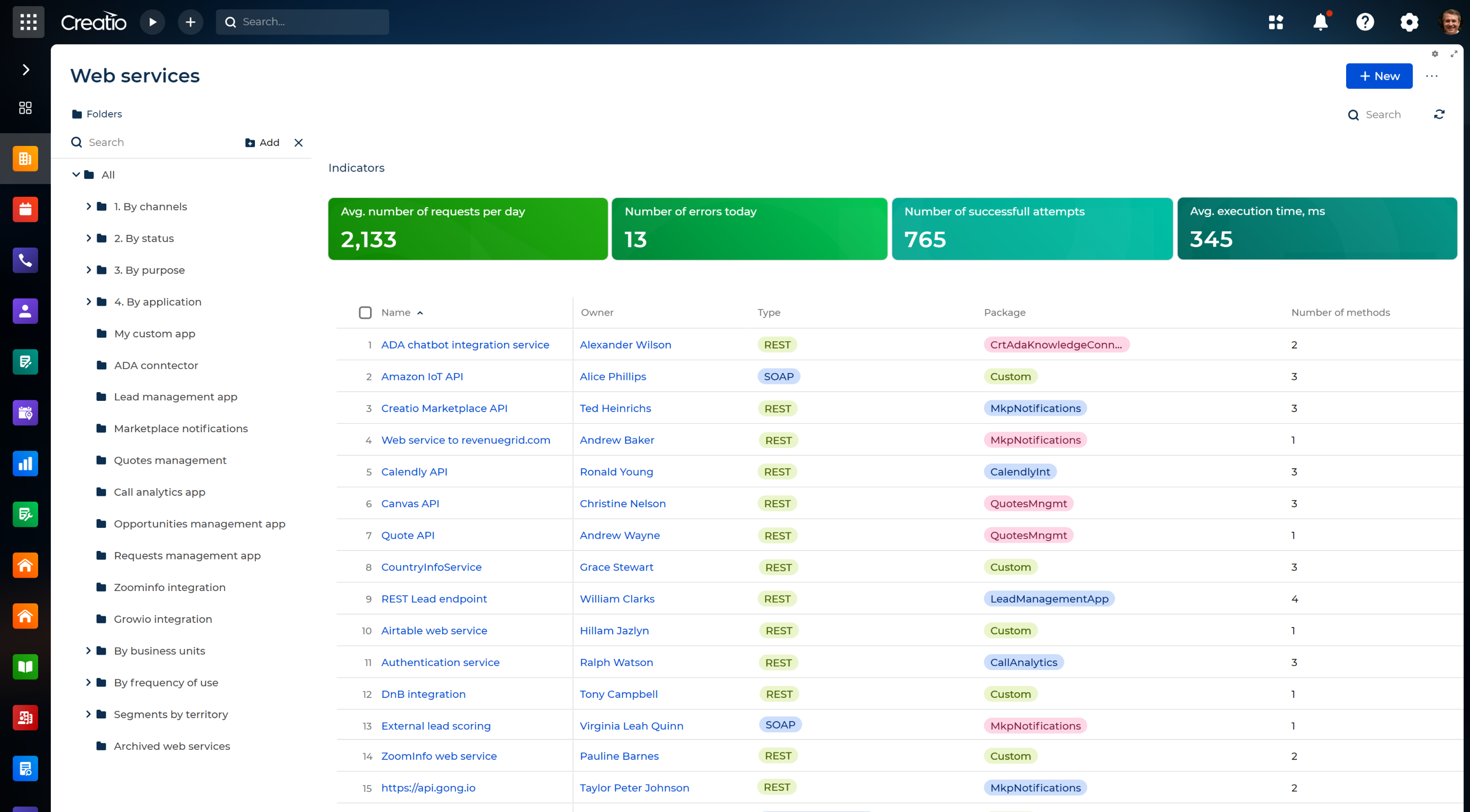
This ecosystem ensures seamless data flow across different systems, providing a comprehensive view of relevant information. The flexibility of the integration feature guarantees that businesses can tailor their CRM system to suit their specific needs and workflows.
16. Customization & No-Code Configuration
Customization allows organizations to tailor the CRM system according to their unique needs, industry-specific requirements, and evolving business processes. This CRM feature ensures that the system is not a one-size-fits-all solution but a flexible and adaptable tool that can be tailored to the organization's goals.
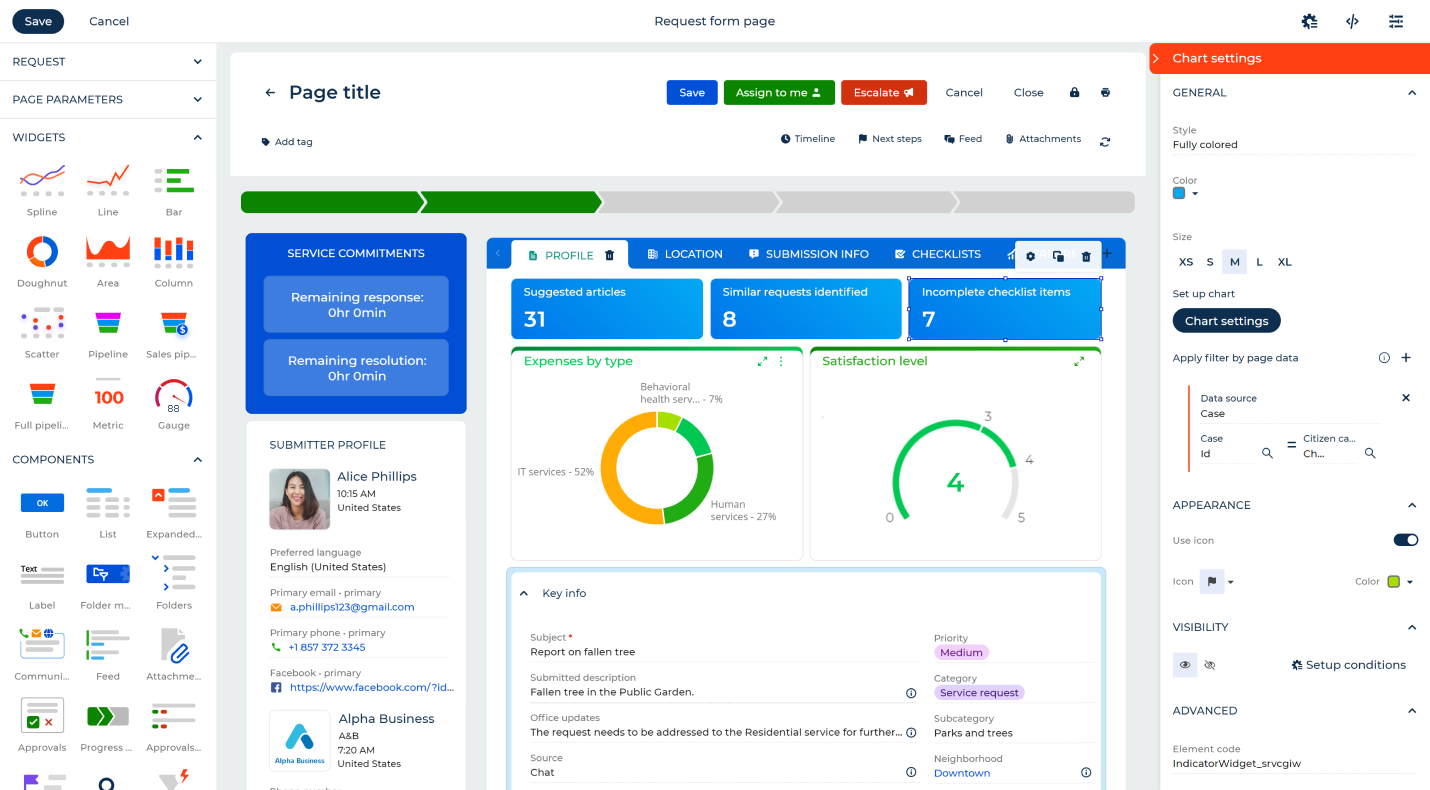
CRM solutions equipped with no-code tools enable organizations to select specific features and customize fields, layouts, and workflows within the CRM system to match their needs without requiring technical skills or coding experience. Users can simply use preconfigured elements to adapt the system as business requirements evolve.
17. Mobile CRM
Mobile CRM offers flexibility to manage customer relationships, access crucial data, and stay connected on the go. Mobile access ensures that teams can seamlessly engage with the CRM software anytime, and anywhere, without being tied to a desktop.
Modern CRMs provide a mobile-friendly interface that allows users to access the full suite of CRM functionalities on smartphones or tablets. With mobile access, whether in the field, during client meetings, or while traveling, team members can effortlessly view and update customer information, manage tasks, and stay connected with the latest developments.
18. Data Security & Access Controls
Data security is a paramount feature for CRM systems, addressing the critical need to safeguard sensitive customer data and organizational information with data encryption, audit logs, and permission management. In an era where cyber threats are around every corner, this feature ensures that businesses can trust their CRM systems to protect confidential information and maintain compliance with data protection regulations such as GDPR or HIPAA.
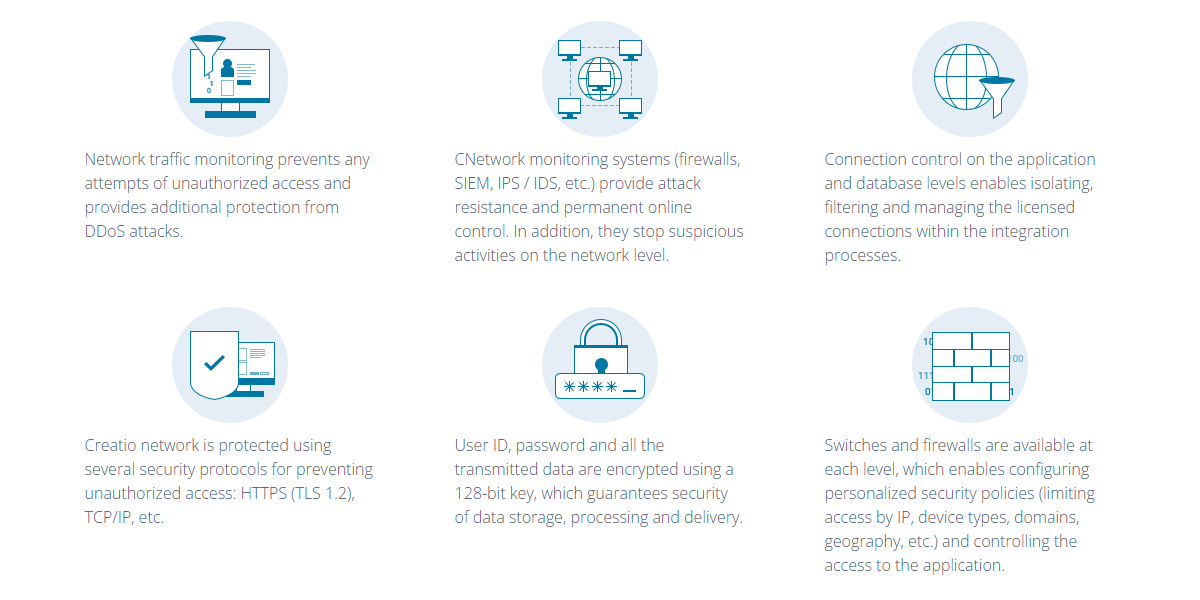
Access control is a key aspect of data security, allowing organizations to define and regulate who can access specific information within the CRM system. Role-based access ensures that individuals have access only to the information necessary for their roles, preventing unauthorized users from viewing or manipulating sensitive customer data.
19. AI Capabilities & Autonomous Agents
AI capabilities and autonomous agents use artificial intelligence to optimize decision-making, automate tasks, and improve performance across various departments. They use data-driven models to support forecasting, scoring, recommendations, sentiment analysis, and intelligent automation.
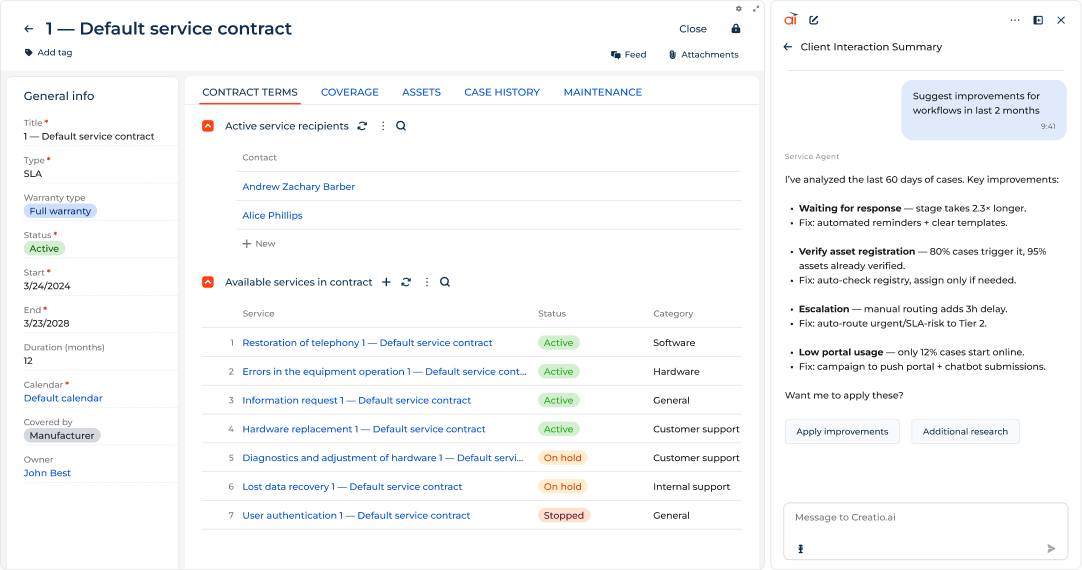
Autonomous AI agents can independently perform tasks such as account research, quote and proposal generation, meeting preparation, content creation, case assistance, and knowledge management, helping teams increase productivity and operate more efficiently.
20. Testing & Sandbox Environments
Testing environments in CRM provide a controlled and isolated space where organizations can test updates, configurations, and perform integration testing without impacting the live environment.
Testing environments offer a sandbox that mirrors the actual CRM. This allows organizations to replicate real-world scenarios, test new features, and assess the impact of changes in a controlled setting before deploying them to production. Teams can simulate the impact of changes on workflows, integrations, and data structures, identifying potential issues and addressing them.
How to Choose the Right CRM Features for Your Business
Choosing the right CRM software features depends on your business size, industry, and operational priorities. Instead of looking for the most feature-rich system, focus on capabilities that directly support your business processes today, and can scale as your needs evolve.
To choose the CRM features that best suit your business, you should determine your business goal. Decide whether you want to focus on sales growth, improving customer service, automating marketing efforts, or increasing operational efficiency. When you align CRM features with real business priorities, you ensure faster adoption and higher ROI.
Use this shortcut to prioritize the best CRM software features based on your business size and type:
- If you’re a small sales team, prioritize lead and opportunity management, pipeline visualization, and sales automation to make sure your sales reps have the features they need to streamline sales processes and increase chances of winning deals.
- If you’re an enterprise or regulated organization, prioritize workflow automation with approvals, advanced data security, integration capabilities, and AI-powered tools to support complex processes, ensure compliance, and enable data-driven decisions at scale.
- If you’re a service-heavy organization, prioritize customer service and case management, omnichannel communication, and AI-assisted case resolution to help service teams respond faster and deliver high-quality customer support across channels.
When selecting CRM features, also consider your budget and the total cost of ownership. Some features may be included in standard packaging, while others come at an extra fee. Make sure you’re aware of all the costs and only pay for the features you’re actually going to use.
For a detailed walkthrough, examples, and best practices, see the full guide
How Creatio Brings CRM Features Together
Creatio is an AI CRM and workflow platform for marketing, sales, and service — with unlimited possibilities on AI agents, workflows, or scale.
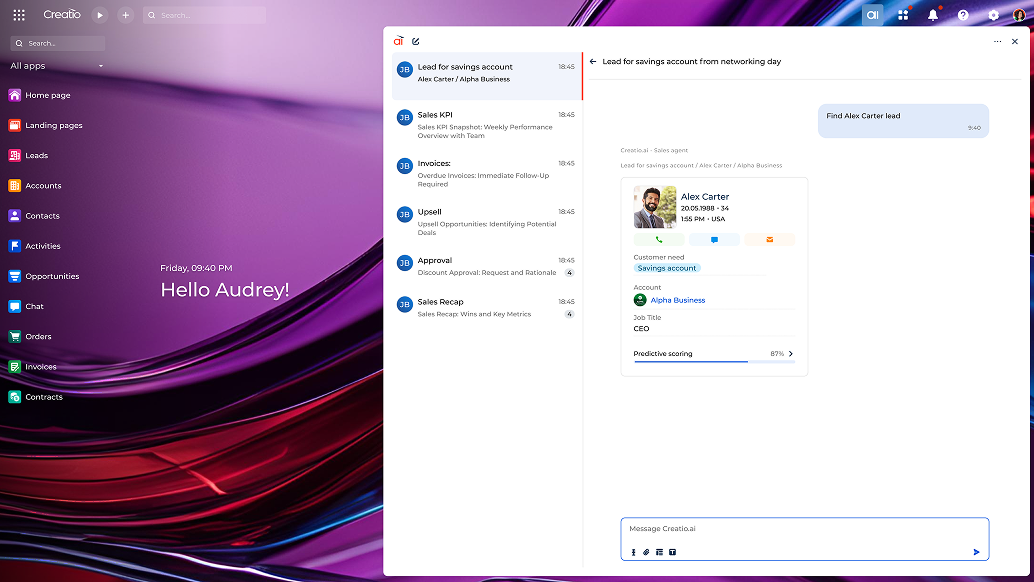
Creatio stands out from other CRM vendors thanks to its composable architecture, powered by no-code tools that ensure exceptional customization and configuration capabilities. Businesses can tailor their solution to meet specific requirements, preferences, and use cases with drag-and-drop functionality and an extensive library of pre-built components and blocks. Users can configure fields, layouts, workflows, pipelines, approvals, and business rules without relying on IT resources. Organizations can also benefit from ready-to-use industry-specific workflows to further specialize their CRM and accelerate the system development process.
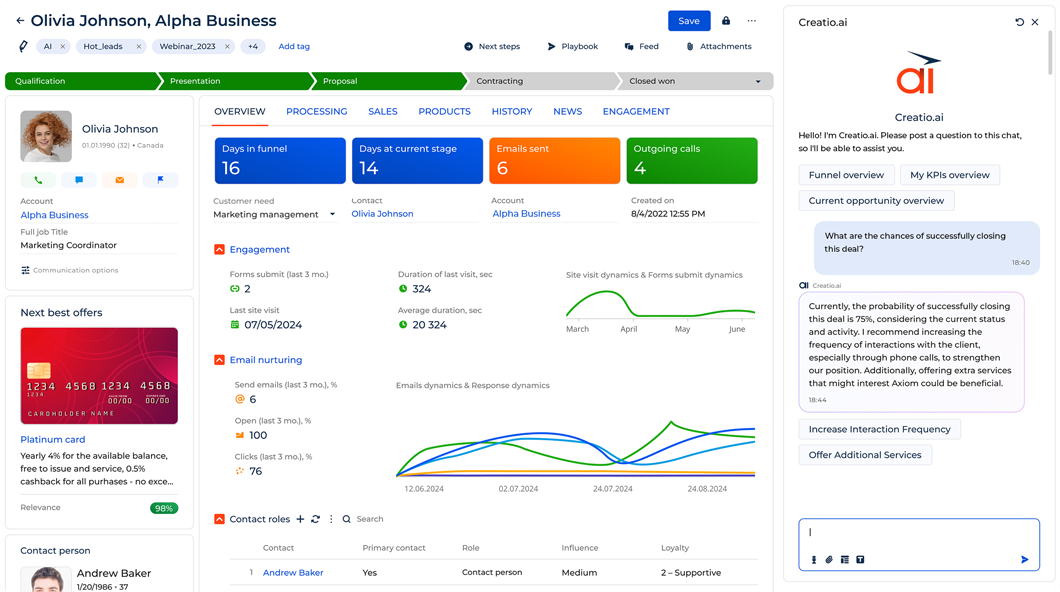
Creatio CRM encompasses all key CRM features designed to elevate the efforts of sales, service, and marketing teams. From customer 360 to lead and opportunity management, workflow automation, omnichannel communication, document management, data security, reporting, and automation of service, sales, and marketing processes, Creatio provides a suite of tools essential for streamlining business operations and enhancing customer relationships. Moreover, the Creatio Marketplace enriches the CRM by offering a diverse collection of applications, add-ons, templates, connectors, and industry-specific solutions, enhancing and extending the capabilities of the CRM system.
AI is embedded across Creatio’s CRM through autonomous AI agents that support daily work by independently performing repetitive and time-consuming tasks such as account research, meeting preparation, content and email generation, quote and proposal creation, and case assistance. These agents operate within the CRM system, enabling teams to boost productivity, reduce manual effort, and maintain human oversight and control.
By combining full CRM feature coverage, no-code flexibility, built-in AI, enterprise-grade security, and integration capabilities, Creatio fulfills all modern expectations for CRM platforms. It supports both organizations seeking fast time to value and those requiring deep customization, governance, and scalability. This unified approach makes Creatio suitable for a wide range of CRM use cases, from mid-sized businesses optimizing sales processes to large enterprises managing complex, regulated customer operations. With Creatio, organizations can effectively streamline their processes, increase productivity, and drive business growth.
Summary
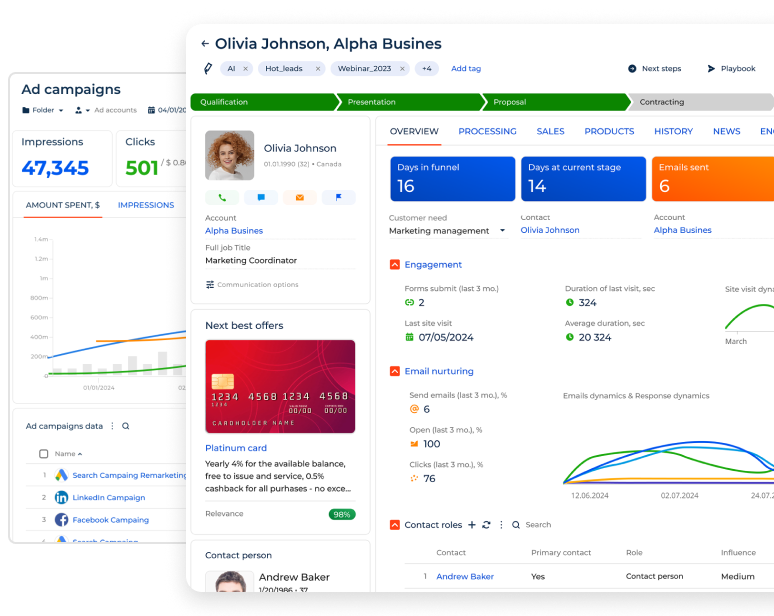
Key CRM features help businesses manage customer relationships across sales, marketing, and service by bringing customer data, interactions, and processes into a single system and automating repetitive tasks. These features typically include contact and account management, a 360 customer view, workflow automation, omnichannel communication, integrations, customization, data security, and AI-driven capabilities.
In addition, CRM platforms support function-specific needs through features such as sales pipeline management, sales forecasting, lead and opportunity management, and sales, marketing, and service automation. They also improve operational efficiency by streamlining document management, task and activity tracking, mobile CRM access, and reporting and analytics.
Choosing the right CRM features is crucial for business success. By selecting a modern CRM, such as Creatio, organizations can combine core CRM functionality, no-code customization, and autonomous AI agents to support current needs while remaining flexible to scale and adapt as requirements evolve.
